Free · open source · built on OpenCode
gpu.nz Code — an AI coding agent on your own cloud GPU
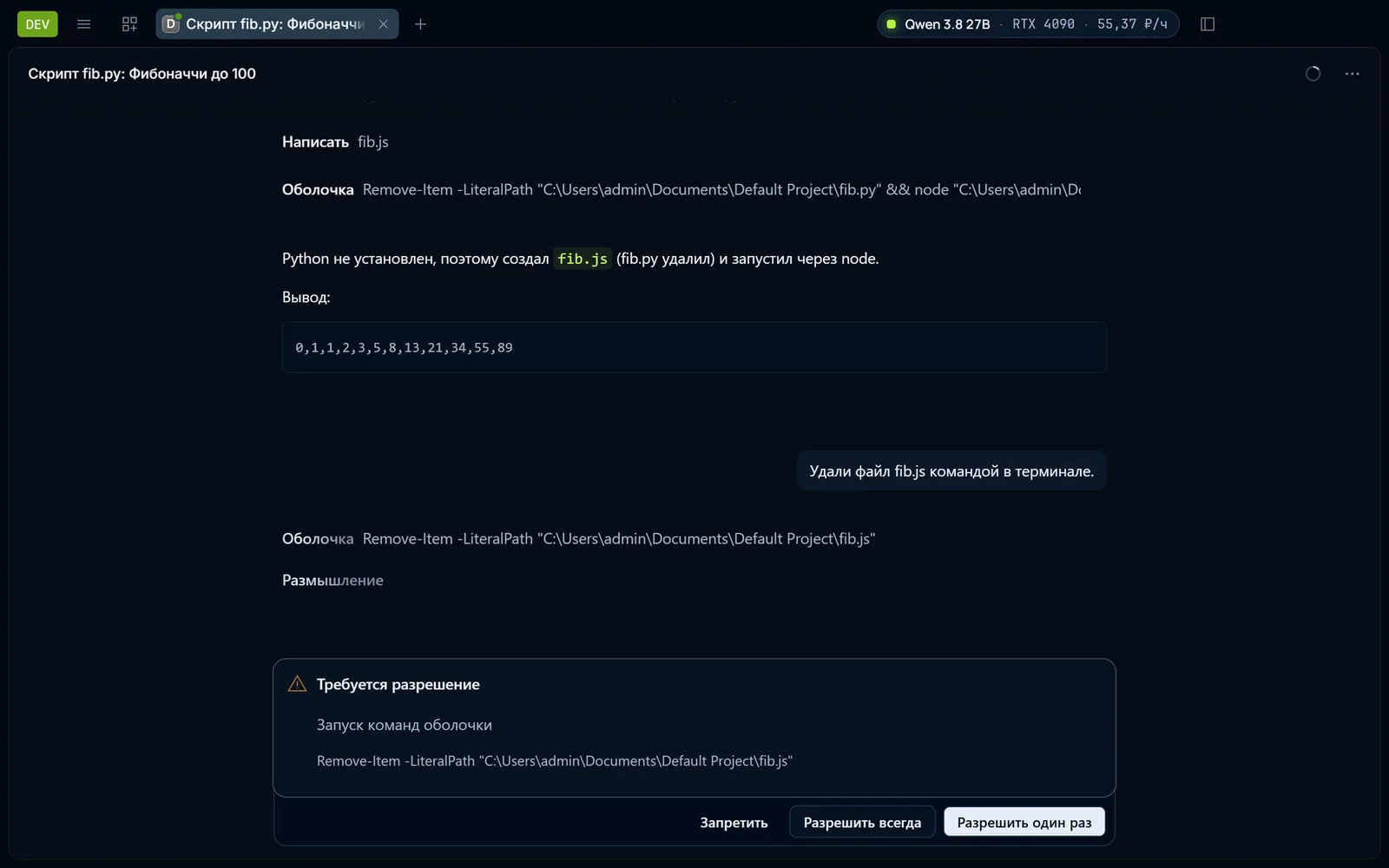
The agent works in your project folder on your computer; the model runs on a GPU that the app rents at gpu.nz and starts for you.
All downloads
Windows
- Windows 10 and 11, 64-bit.exe installer · 119 MBDownload
SHA-256: 91020c80b3f156e5ece5cede0d38f49ef7dc1a888262a7738b9c3ea45d46c479
macOS
Linux
- AppImageAny distribution · 150 MBDownload
SHA-256: 5de5c3161f586ab22540a1f76b6644906c664416b311eaa80a02f4c886bf0842
- .deb packageDebian, Ubuntu · 116 MBDownload
SHA-256: 6bf28d3e8af23b98d442e8461bc697fa371b2da4a11802848233c28154b6b210
- .rpm packageFedora, openSUSE · 100 MBDownload
SHA-256: 0039d6dc47c23e1dcb9bb0fa265c72705873de23e0f7202f3c632d0488128cf0
Three steps
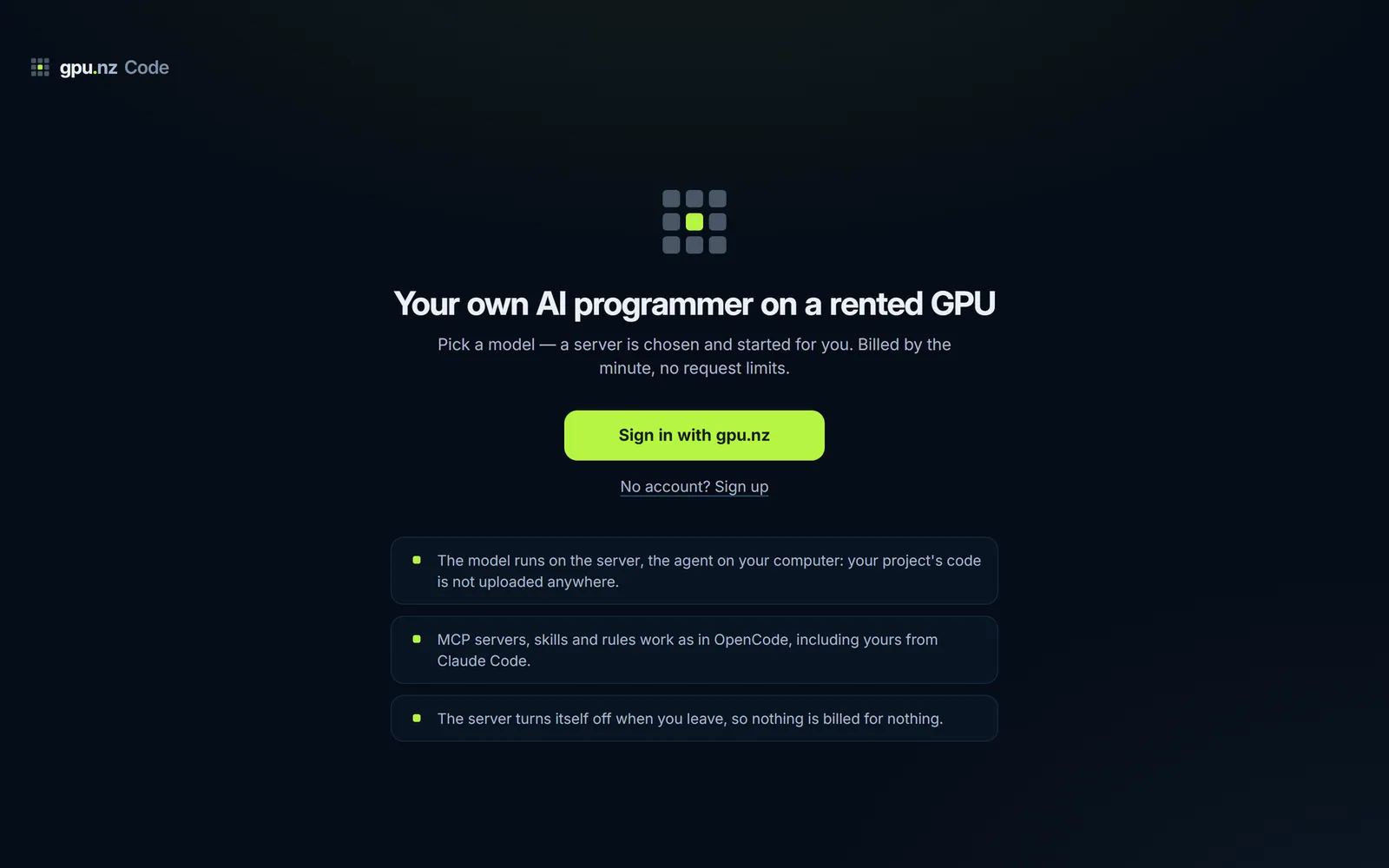
01Download and sign in
Install the app and sign in with your gpu.nz account: you confirm a code in the browser. No account yet — sign up right there.
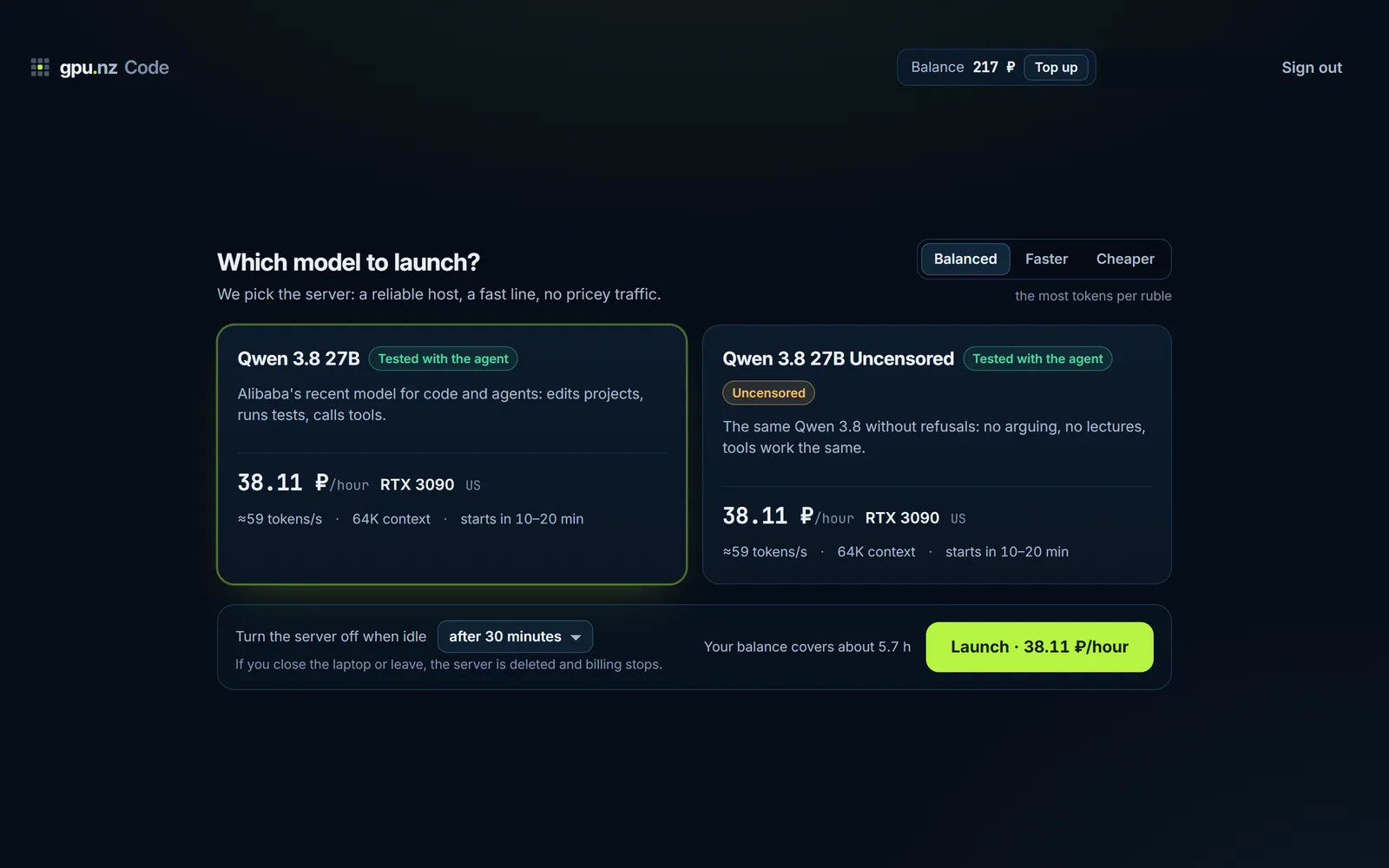
02Pick a model
A ready model, the same one without refusals, or any model of your own: by its Ollama name or a GGUF file from Hugging Face. The price is shown before launch.
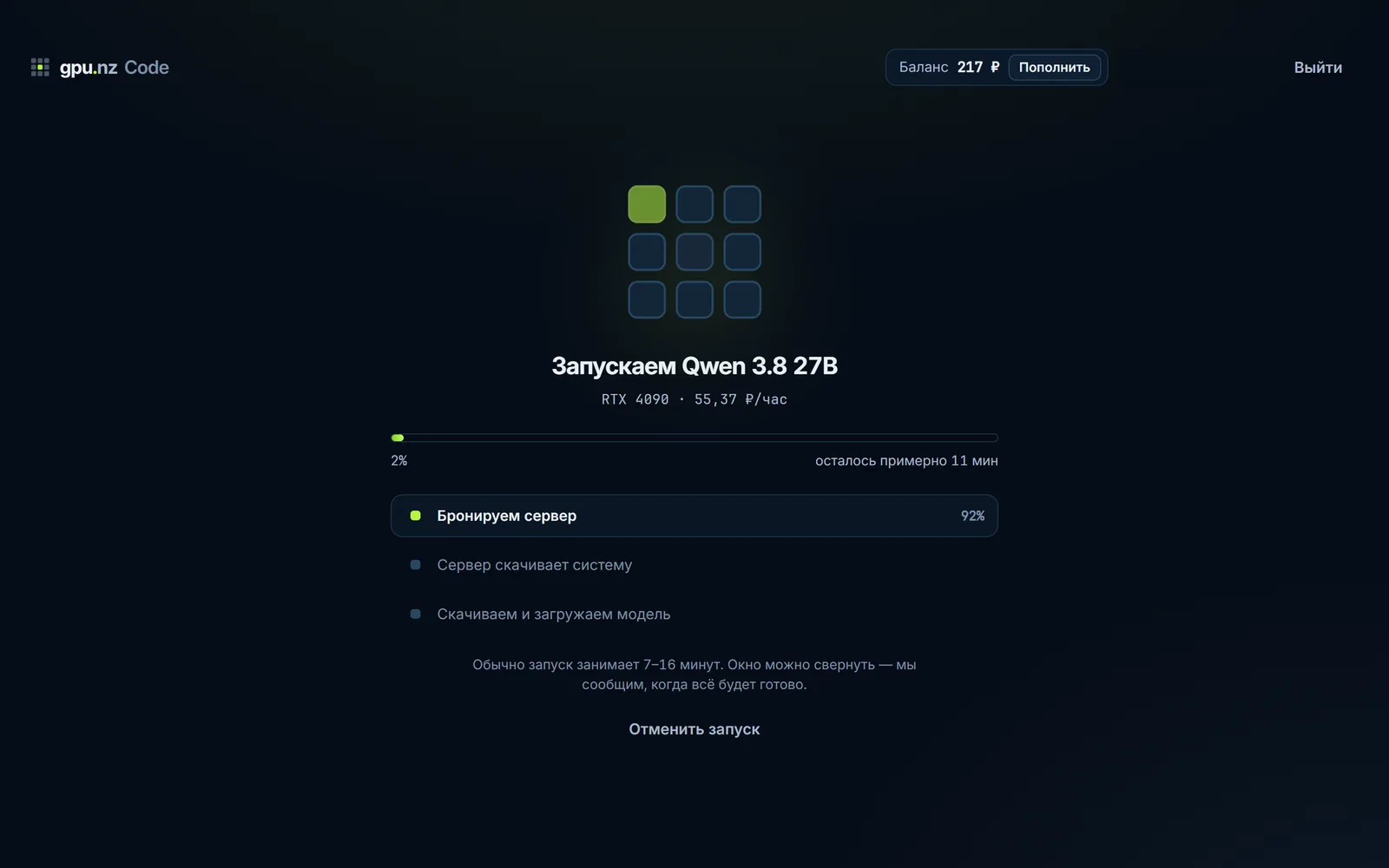
03Launch and work
The app picks a server, starts it and waits for the model. The first launch usually takes 5 to 14 minutes: the server downloads the model.
What it does
Works with your project
Reads and edits files, runs commands and tests. It asks before deleting files or running other destructive commands.
Your own server, no limits
The model runs on your server: there is no per-token price and no request limit. You pay for the minutes the server runs.
Any model
Ready models or any model of your own from Ollama and Hugging Face. The app works out the GPU and the price before launch.
Your code stays with you
The agent runs on your computer and your project code is not uploaded anywhere. Only requests to the model go to your server.
The server turns itself off
After 15, 30 or 60 minutes of idling, or never, as you choose. And when you quit the app: it asks first.
Open source
MIT license, code on GitHub. Built on OpenCode, so MCP servers, skills and rules work the same way.
What it costs
The app is free. You pay only for the server, by the minute while it runs. There is no per-token price and no request limit.
Installation
Windows
- Download the installer and run it.
- Wait for the installation to finish and open gpu.nz Code.
The build has no paid signature yet: Windows may show “Unknown publisher”. Click “More info” → “Run anyway”. We are arranging code signing.
macOS
- Open the .dmg and drag the app to Applications.
- On the first launch: System Settings → Privacy & Security → “Open Anyway”.
Linux
- AppImage: make the file executable and run it.
- Or install the .deb or .rpm package with your package manager.
chmod +x gpunz-code-*.AppImage
Privacy and open source
The agent runs on your computer and your project code is not uploaded anywhere: only requests to the model go to the server you rent. The app sends us anonymous reports about its own errors — the error text, the app version and the system, with no account, project files or requests to the model; one checkbox turns them off. The source code is open under the MIT license; gpu.nz Code is an independent fork of OpenCode and is not affiliated with its team.
Questions
What is gpu.nz Code?
A free desktop app: an AI coding agent. It works in your project folder, edits files, runs commands and tests, while the model runs on a GPU server that the app rents for you at gpu.nz.
How is it different from Claude Code or Cursor?
The model is open and runs on the server you rent. There is no subscription and no request limit: you pay for the minutes the server runs. The quality depends on the open model you pick, so on hard tasks the result can differ from closed services.
Which models can I use?
Ready ones: Qwen 3.8 27B, tested with the agent, and the same model without refusals. Or any model of your own, by its Ollama name or as a GGUF file from Hugging Face. The app picks the GPU and shows the price before launch. For a model we have not tested, you learn after launch whether it can call tools.
How much does it cost?
The app is free. You pay only for the server, by the minute while it runs. There is no per-token price and no request limit. The hourly price depends on the GPU; current prices are shown on this page and on the pricing page.
Do I need my own GPU?
No. The model runs on a server that the app rents at gpu.nz, so an ordinary laptop is enough.
Does my code stay with me?
Yes. The agent runs on your computer and your project code is not uploaded anywhere. Only requests to the model go to your own rented server.
What if the server fails?
If a host fails, the app takes another server and the conversation continues. Money for a failed launch returns to your balance. The server is deleted automatically after the idle time you chose (15, 30, 60 minutes or never) and when you quit the app, which asks first.
Does it work on Mac and Linux?
Yes: Windows 10 and 11 (x64), macOS (Apple Silicon and Intel) and Linux (AppImage, .deb, .rpm). The list of downloads on this page shows which builds are published already.
How does the app update?
On Windows and Linux updates install themselves. On macOS the app tells you that a new version is out.
How do I report a bug?
Open “Help and feedback” in the app: you can send a bug report, an idea or feedback from there. The app also sends anonymous reports about its own crashes, with no account, project files or requests to the model. You can turn them off in the menu: Help → “Send error reports”.
What is new
- Version 0.2.016 November 2026
- The first public release: Windows, macOS and Linux.
- A «Help and feedback» window: report a problem, suggest an idea or leave feedback right from the app.
- The app reports its own errors to its developers — without your account, project files or requests to the model. One checkbox turns it off.
- Updates install themselves (Windows, Linux); on macOS the app tells you when a new version is out.


