9 min read ·
Stable Diffusion: what it is, how to install and run it
Stable Diffusion on a PC and on a rented GPU: how much VRAM you need, which interface to pick (Forge, ComfyUI, InvokeAI) and how to start in five minutes with no installation.
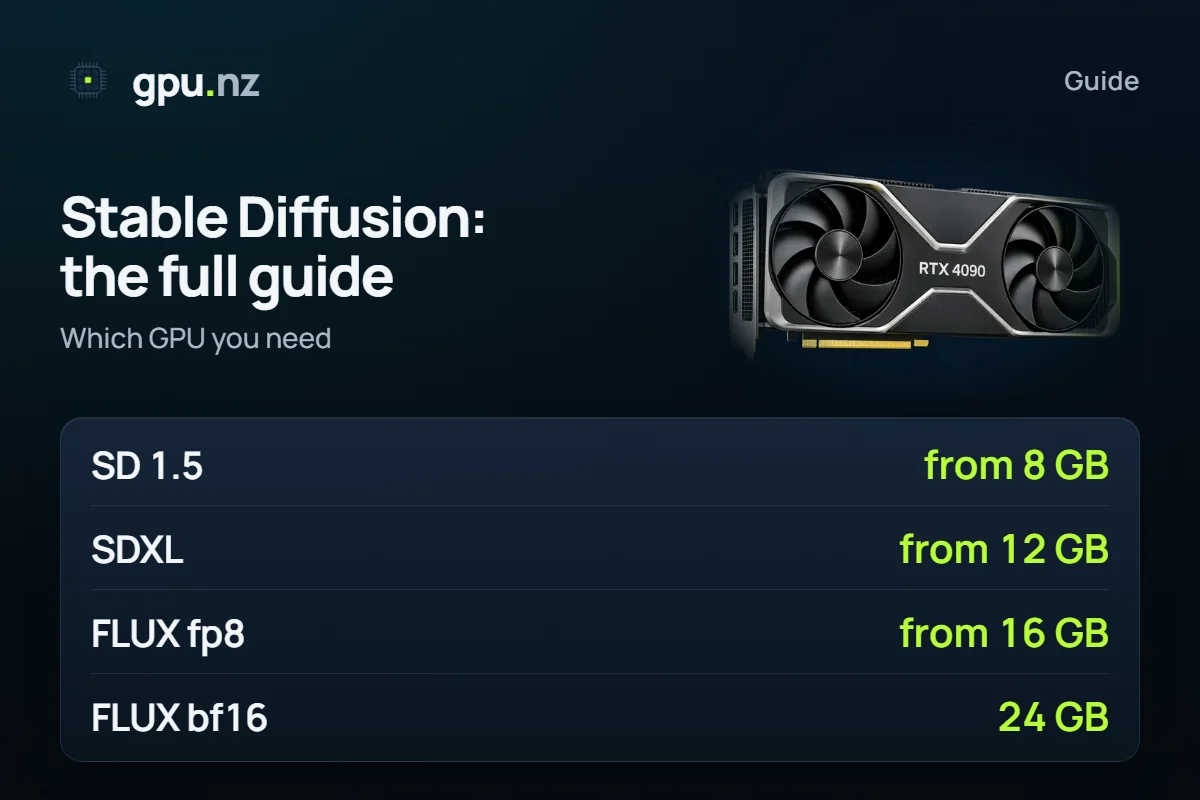
Stable Diffusion is an open neural network that draws pictures from a text description. You can run it on your own computer with an NVIDIA graphics card or on a rented GPU server. If you lack the video memory or do not want to install anything, gpu.nz starts a ready interface (Forge, ComfyUI, InvokeAI or SwarmUI) in one click and bills only for the minutes the server runs.
What Stable Diffusion is and how the versions differ
Stable Diffusion is a family of models rather than a single program. The model itself is a weights file; to draw anything you need an interface that runs it. A large ecosystem grew around it: LoRA files for styles and characters, ControlNet for composition, upscalers. The generations differ in size and quality:
| Model | Native size | VRAM: minimum | VRAM: comfortable | Good for |
|---|---|---|---|---|
| SD 1.5 | 512 pixels | 8 GB | 12 GB | Fast generation, a huge LoRA library |
| SDXL | about 1024 pixels | 12 GB | 16 GB | Better quality and detail, many LoRA and ControlNet files |
| FLUX.1 (fp8) | about 1024 pixels | 16 GB | 24 GB | Follows the prompt closely, readable text in pictures |
| FLUX.1 (bf16) | about 1024 pixels | 24 GB | 40 GB and more | Full-precision weights |
These are guidelines for normal settings, not a benchmark: with optimisations and offloading to system memory the models start on less, but much more slowly. More on FLUX in the FLUX guide; which card fits which model is in the Stable Diffusion and FLUX comparison.
Installing Stable Diffusion on your own computer
You need an NVIDIA graphics card with a current driver, free disk space (a few gigabytes for the program and tens of gigabytes for models) and 16 GB of RAM or more. The Windows route is the same for most interfaces:
- Update the NVIDIA driver to a current version.
- Pick an interface. Forge or the portable ComfyUI build is the easiest start: both have ready Windows archives on the project's GitHub page.
- Download the archive and unpack it into a folder with no spaces or non-Latin characters in the path, for example D:\ai\forge.
- Run the update script and then the launcher (update.bat and run.bat in Forge). On first start the program downloads the libraries it needs.
- Put a model file (checkpoint) into the models folder: models/Stable-diffusion in Forge, models/checkpoints in ComfyUI. Models are found on Hugging Face and other model catalogues.
- Open the address the launcher prints (usually http://127.0.0.1:7860 for Forge and http://127.0.0.1:8188 for ComfyUI), type a description and press Generate.
If the card's memory fills up and generation stops with an out of memory error, lower the resolution, take the fp8 build of the model or move to a bigger card. ComfyUI installation is covered step by step in a separate guide.
No graphics card, or not enough video memory
Then renting a server is the easiest route. On gpu.nz it takes four steps: sign up, top up the balance (with cryptocurrency through CryptoBot for now), pick a card with enough memory in the catalog and launch a server with a template. Drivers and CUDA are already installed, models download straight to the server, and the interface opens through a protected link from a button on the server page. Stop the server and the GPU stops billing.
- SDXL: a card from 12 GB, 16 GB is comfortable. An RTX 3090 24 GB, for example, costs much less than the top cards and covers SDXL with room to spare.
- FLUX: from 16 GB in fp8, 24 GB is comfortable. An RTX 4090 24 GB or an RTX 5090 32 GB fits.
- Many LoRA and ControlNet files at once, large sizes and batch generation: take 24 GB or more.
Live hourly prices are shown below and in the catalog before you launch. How much memory language models need is explained in the VRAM guide.
Which interface to choose: Forge, ComfyUI, InvokeAI, SwarmUI
| Interface | How it works | Best for | Template |
|---|---|---|---|
| Forge | A familiar web interface with tabs and sliders | Beginners and people coming from AUTOMATIC1111 | Stable Diffusion Forge |
| ComfyUI | A graph of nodes: every step is visible and you can build your own | Flexible pipelines, FLUX, video and new models | ComfyUI |
| InvokeAI | A canvas and a gallery, handy for reworking parts of a picture | Illustrators and designers | InvokeAI |
| SwarmUI | A simple interface on top of ComfyUI | Those who want ComfyUI's power without graphs | SwarmUI |
Models and LoRA: where to get them and where to put them
The main model (checkpoint) sets the overall style and quality. LoRA files are small add-ons: a character, a style, clothing. The VAE handles the final rendering of colours. The folder layout is the same in spirit:
| What | Forge | ComfyUI |
|---|---|---|
| Main model | models/Stable-diffusion | models/checkpoints |
| LoRA | models/Lora | models/loras |
| VAE | models/VAE | models/vae |
| ControlNet | models/ControlNet | models/controlnet |
On a rented server you download files straight to the server with wget or copy them over SSH, so your own connection speed does not matter. Models sit on the server's disk and are deleted with it, so download valuable results first. You can train your own LoRA on the same server with the Kohya SS and FluxGym templates.
Common problems
- Out of memory: lower the resolution and batch size, switch on fp8 or take a card with more memory.
- Black or green pictures: usually the wrong VAE or precision; try another VAE.
- The model is missing from the list: check that the file is in the right folder and refresh the list in the interface.
- Generation is very slow: run nvidia-smi to make sure the work happens on the graphics card, not the processor.
Questions and answers
- How can I run Stable Diffusion online?
- Rent a GPU server with the Stable Diffusion Forge or ComfyUI template: the interface opens in your browser through a link on the server page, and nothing needs installing. A server is usually ready in 2–5 minutes.
- How much does Stable Diffusion cost?
- The model itself is free. You pay only for the minutes a rented server runs: the hourly price depends on the card and is shown in the catalog before launch.
- Do I need a graphics card for Stable Diffusion?
- For decent speed, yes, preferably an NVIDIA card with 8 GB or more. Without your own card, use a rented one: it works the same as a local one.
- Which is better, SDXL or FLUX?
- SDXL is lighter and faster and has more LoRA files and ready styles. FLUX follows the prompt more closely and writes text better, but needs more memory: from 16 GB in fp8 and comfortably from 24 GB.
- How is Forge different from ComfyUI?
- Forge is a familiar interface with tabs and sliders and is simpler to start with. ComfyUI is built from nodes, which takes longer to learn, but it is more flexible and gets new models first.
- Can I use my own models and LoRA files?
- Yes. Download the files to the server with wget or upload them over SSH and put them into models/Stable-diffusion and models/Lora (checkpoints and loras in ComfyUI).