7 min read ·
Uncensored AI on your own server: text and images
What «uncensored» means for language models and image generators, which tasks it legitimately covers, where the line is, and how to run one on your own server.
«Uncensored» usually means a model with its refusals removed. Language models are trained to decline some requests; in a version without refusals that behaviour is taken out, so the model answers directly. An image generator running on your own server does not go through a cloud service's filter either. None of this overrides the law or the gpu.nz acceptable use rules: whoever creates the content is responsible for it.
What actually changes
- In language models, refusals are a behaviour introduced during safety training. Versions without refusals are edited at the weight level: abliteration, for example, removes from the weights the direction that drives refusals.
- The model's general knowledge and language stay the same, but individual answers can get worse. Removing refusals does not add intelligence or make answers more accurate.
- In image generators, a local model does not check the request on the service's side. The limits are set by your checkpoint and your own rules.
- The model does not become more truthful: it simply stops refusing.
Who answers for the result
Any model can produce harmful or false text, with refusals or without them. Cloud services cover this with filters and rules, but even they give no guarantees. On your own server there are no filters, so everything you get passes through your own decisions: what you ask, what you publish and who you pass it to. That is what makes you responsible for the result.
A practical approach is to set your limits in advance. Ask yourself what would happen if a stranger saw this text or image, and whether you could explain it. If the answer is not obvious, put the task aside or ask a lawyer.
Tasks where this is justified
- Fiction and role-play with dark themes: conflict, violence in the plot, morally complex characters, as long as the text contains nothing prohibited.
- Safety research on models: how a model behaves under provocation and where its limits fail. Researchers and teams who test their own models work this way.
- Information security training: walking through known attack classes at the level of concepts and defence, and working on your own lab machines or in CTF competitions. Do not touch other people's systems.
- Medicine, law and psychology: discussing situations without moralising. The model's answer does not replace a doctor or a lawyer.
- Adult art, where it is lawful in your jurisdiction: for adults only, and without using images of real people who have not consented.
What is forbidden with any model
Removing refusals does not permit anything the law or the service rules forbid. Do not create or store material that sexually depicts children, by any method. Do not make extremist or terrorist material, fraud or phishing, malicious code, or attacks on other people's systems. Do not create pornographic or compromising images of real people without their consent: such material harms specific people and is illegal in many countries.
How to check a model before you use it
Before you download any model, read its model card: who published it, what the licence says and which restrictions are listed. Models without refusals are most often published by third parties, so do not take files from unverified sources, and check checksums where the author publishes them.
- Where the file comes from: the author's own page or a well-known repository, not a random link.
- What the licence says: whether you may use the model in your project and whether it restricts topics.
- How the model answers ordinary questions: if its basic answers are incoherent, the file is damaged or the version does not suit the task.
- Whether it needs a reasoning mode: some templates switch it off, which affects answer speed.
A language model without refusals on gpu.nz
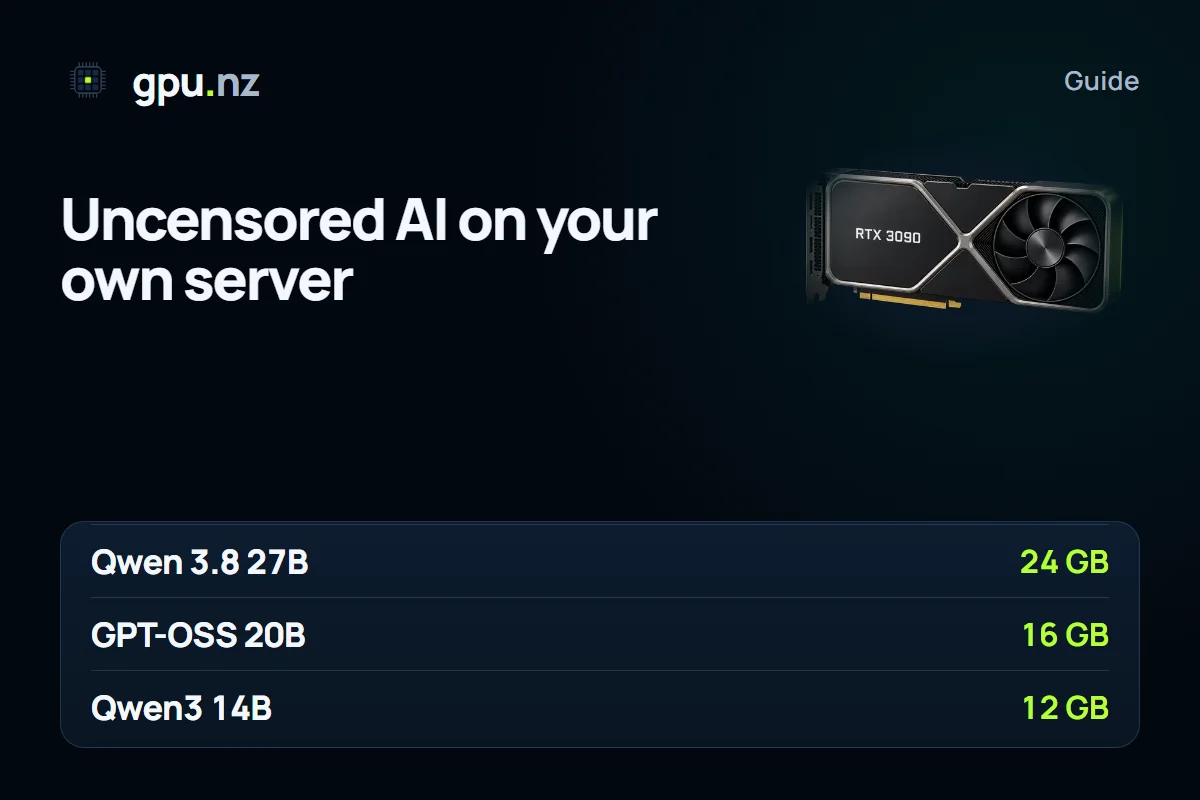
The templates include ready chats with models that do not refuse. The models are already loaded, so you only open the link from the server card. The Qwen 3.8 27B uncensored chat needs 24 GB, the GPT-OSS 20B uncensored chat runs on 16 GB, and the Qwen3 14B uncensored chat suits cards from 12 GB. For open conversation and role-play there is also Hermes 4.3 36B, which rarely refuses.
In the uncensored Qwen chats the reasoning mode is off by default, so the answers come straight away. You can switch it on in the chat settings if a task needs a step-by-step breakdown.
Qwen 3.8 27B remains the all-round choice if you have a 24 GB card. GPT-OSS 20B answers quickly and fits in 16 GB, and Qwen3 14B suits 12 GB cards and is simpler to run. Choose Hermes 4.3 36B for open conversation and role-play; it needs a 32 GB card.
Images with your own checkpoint
For images, use Forge or ComfyUI with your own checkpoint in the safetensors format. Upload the file over SFTP or download it on the server itself. In Forge, models live in the models/Stable-diffusion folder; in ComfyUI, they live in models/checkpoints.
cd models/Stable-diffusion
wget -O my-model.safetensors "<direct link to the file>"
The card matters for images too. SDXL runs on 12 GB of video memory, FLUX needs 16–24 GB, and video models need more memory than still images. Pick the model that fits the memory you have, not the other way round.
Check the checkpoint's licence before you upload it. Many models have terms for commercial use and restrictions on certain subjects, and those terms apply even when the model runs on your own server.
If a team shares the server
If several people share a server, agree on simple rules before the first launch. Decide who runs which models and for which tasks. Do not post the rental token in shared chats: anyone who knows it gets access to all the server's interfaces. If access has to be split, rent a separate server for each participant.
Storing and publishing results
Chat logs and images kept on the server also need careful handling. While the server runs, decide how long you need them, who can access them and when to delete them. Do not keep stray files: they take up space and are billed as storage.
Before you publish, check not only the law but also the rules of the platform where you plan to post the text or image. Many platforms have their own requirements for generated content, and they can differ from the general rules.
What removing refusals does not do
Removing refusals does not make a model more accurate, and it does not add knowledge the model never had. It does not cancel copyright: if a model produces text or an image close to a protected work, the rights stay with the rights holder. Nor does it change responsibility: whoever posts, sends or prints the output is answerable for it.
Privacy and responsibility
Requests and images stay on the server, and no third-party cloud interface sees them. But the server is rented and sits in a data centre, so for truly confidential work keep the model on your own PC. After the work, download your results and delete the server if you no longer need it.
The service does not check what you generate, but you are responsible for it. After a complaint or a request from the authorities, a server can be stopped without warning, and funds for the period of a breach are not refunded. The acceptable use rules spell this out, so read them before the first launch.
Removing refusals is a tool for specific tasks, not a way around the law. If a request needs disputed content, first check whether it is lawful in your country and whether it breaks the service rules. If you are not sure, do not run that task.
Questions and answers
- What does an uncensored AI model mean?
- It is a model with its refusals removed: a language model answers requests that a standard model would decline, and a local image generator does not send the request through a cloud filter. The law and the service rules still apply.
- Is there an uncensored AI model for images?
- Yes: SDXL and FLUX models run locally in Forge or ComfyUI and do not pass through a cloud filter. You are still responsible for the content.
- Are AI models without restrictions legal?
- The model itself is not banned. What is banned is anything that breaks the law of the country where the server is located, or the service rules: material involving children, extremist content, malicious code. A model's refusals make no difference to that.
- Which uncensored model is best for text?
- On a 24 GB card, Qwen 3.8 27B uncensored; on 16 GB, GPT-OSS 20B uncensored; on 12 GB, Qwen3 14B uncensored. There is no single choice for every task, so compare them on your own examples.
- Why does an uncensored model sometimes give worse answers?
- Removing refusals changes the weights, so some answers can be less accurate or weaker in style. Check the results on your own tasks and compare them with the standard version of the model.
- Can I run such models on my own PC?
- Yes, if the card has enough memory: a 14B model in Q4 takes about 9 GB, and a 27B model about 18 GB. The models are downloaded through Ollama or from repositories. Read each model's licence separately.