9 min read ·
LLM fine-tuning on your own data: LoRA and QLoRA on a rented GPU
How to prepare a chat JSONL dataset, choose LoRA or QLoRA by memory, train a model in Unsloth Studio and export it to GGUF for Ollama.
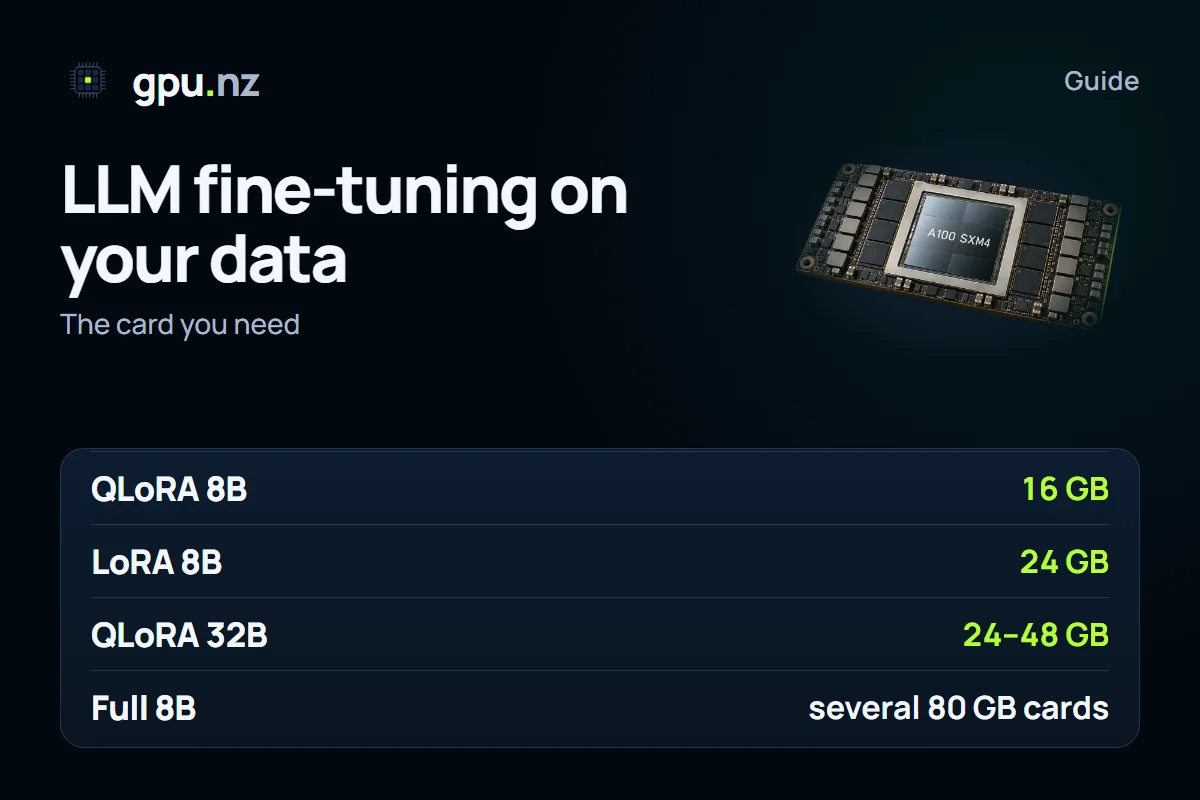
Fine-tuning means adjusting an already trained model on your own examples: the answer format, the style or a specialist domain. For 7–8B models, a single card with 16–24 GB of memory is usually enough for LoRA or QLoRA. Full fine-tuning needs several GPUs. On gpu.nz it is convenient to start from the Unsloth Studio template, export the result to GGUF and run it in Ollama.
When to fine-tune and when a prompt is enough
- Fine-tune when you need a consistent answer format, a particular style or narrow vocabulary that is hard to describe in one prompt.
- Do not fine-tune to add new facts. Feed facts through document search (RAG) instead: fine-tuning transfers manner and format, and memorised facts come out unreliably.
- Start with a prompt and a few examples inside the request. Move to fine-tuning if the result stays unsatisfactory.
Where to get examples
The most useful examples are real ones: support conversations, customer messages and expert answers you want the model to reproduce. They carry real language and real situations. If you have little real data, you can write some examples by hand or generate them with another model, but then check every example yourself, because mistakes in a draft will end up in training.
Before training, remove duplicates, personal data and stray lines, and keep an eye on the balance. If 90% of the examples are about delivery and none about refunds, the model will handle refund questions poorly. Set aside 5–10% of the examples for checking: you will need them at the end, to compare answers.
Dataset format: chat JSONL
A dataset is a text file in which each line is a separate dialogue example in JSON. This format is standard for fine-tuning tools, Unsloth included. Each example holds a list of messages with the roles system, user and assistant, and the last message is always from the assistant.
{"messages": [{"role": "system", "content": "You are a delivery service assistant."}, {"role": "user", "content": "Where is my order?"}, {"role": "assistant", "content": "Send me the order number and I will check the status."}]}
{"messages": [{"role": "user", "content": "Can I change the address?"}, {"role": "assistant", "content": "Yes, if the courier has not picked the order up yet. Send the new address."}]}
Check the file with a script before training. It finds lines that do not parse as JSON and examples whose last message is not from the assistant.
import json

with open("train.jsonl", encoding="utf-8") as f:
    for n, line in enumerate(f, 1):
        msgs = json.loads(line)["messages"]
        if msgs[-1]["role"] != "assistant":
            raise SystemExit(f"line {n}: the last message must be from the assistant")
print("dataset is valid")
A few hundred good examples usually change the format and style noticeably, while stable behaviour across many situations needs thousands. Quality matters more than quantity: the model learns mistakes and repetitive answers as quickly as good ones.
LoRA, QLoRA or full fine-tuning
LoRA trains small adapters on top of a frozen model. QLoRA does the same but keeps the base model in 4 bits, so it needs much less memory. Full fine-tuning updates every weight: with mixed precision, each parameter takes about 16 bytes for the weights, the gradients and the optimiser state. For the calculation of the memory the weights need, see our guide how much video memory an LLM needs.
| Method | 8B | 14B | 32B | 70B |
|---|---|---|---|---|
| Full fine-tuning | about 128 GB: several 80 GB cards | about 224 GB: several 80 GB cards | about 512 GB: a server cluster | about 1.1 TB: a cluster |
| LoRA, 16-bit weights | about 16 GB of weights: a 24 GB card | about 28 GB of weights: a 32–48 GB card | about 64 GB of weights: an 80 GB card | about 140 GB of weights: two 80 GB cards |
| QLoRA, 4-bit weights | about 4–5 GB of weights: a 16 GB card | about 7–9 GB of weights: a 16–24 GB card | about 16–20 GB of weights: a 24–48 GB card | about 35–43 GB of weights: a 48–80 GB card |
These figures are guides for short examples, up to 2–4 thousand tokens, with gradient checkpointing on. Long examples and a large batch increase memory use. Full fine-tuning of a 7B model with the Adam optimiser needs about 112 GB, which means two 80 GB cards.
Unsloth Studio, step by step
The template opens the studio itself and TensorBoard; both interfaces appear as buttons on the server page. The steps in the studio run in this order: dataset, model and method, parameters, training, testing and export. The names of the steps may differ in your version.
- Rent a server with a card from the table: 24 GB for LoRA on 8B, or 16 GB for QLoRA on 8B.
- Upload train.jsonl through the studio's interface or over SFTP.
- Pick a base model (Qwen, Llama or Gemma) and a method: LoRA or QLoRA.
- Set the parameters. Typical starting values: LoRA rank 16, alpha 16, learning rate 2e-4, one to three epochs. For long examples, reduce the batch size.
- Run a short trial of 50–100 steps. In TensorBoard, check that the loss falls and that memory stays under the card's limit.
- Start the full training, then ask the model questions that were not in the dataset and read the answers.
- Export the model to GGUF with the q4_k_m or q8_0 quantisation. Ollama needs GGUF specifically.
Parameters that shape the result
- The LoRA rank (r) sets how many parameters the adapter gets. A higher rank adds capacity and needs more memory, but on a small dataset it often brings no gain.
- Alpha scales the adapter's contribution. It is often set equal to the rank or to twice the rank.
- The learning rate sets the step size. Too high and it damages the model; too low and it learns slowly and needs more epochs.
- Epochs are passes over the dataset. On a small dataset, extra epochs lead to overfitting: the model starts repeating examples word for word.
- The maximum example length limits memory. Long dialogues need to be trimmed or split.
- The batch size and gradient accumulation set how many examples go into one step. If memory runs short, reduce the batch and make up for it with gradient accumulation.
How long training takes
The time depends on the number of examples, their length, the model and the card. Estimate it yourself: multiply the time of one step by the number of steps. If a step takes 2 seconds and there are 1,000 steps, training takes about 33 minutes. Add the time to load the model and to export to GGUF, which takes a few minutes.
How to keep the cost down
- Run a small dataset on a short task first, so you catch format errors before the main training.
- Choose QLoRA if its quality is good enough: a card with less memory costs less per minute. Current rates are in the catalogue.
- Save checkpoints every few hundred steps. Interruptible servers are cheaper, but they can be taken back, and then the saved checkpoints keep your progress. More on this in the guide interruptible servers.
- Stop the server as soon as training ends: while it is stopped, the GPU is not charged.
- Download the result and delete the server. The disk is billed as storage for as long as the server exists.
What to watch in TensorBoard
The loss curve shows whether the model is learning. A healthy picture is a steady decline that levels off over time. If the loss on training data falls while it rises on held-out examples, the model is overfitting: stop earlier or reduce the number of epochs. If the curve does not move at all, check the dataset format and the chat template, because the model most likely sees something other than what you intended.
Export to GGUF and run in Ollama
Ollama runs models in the GGUF format. The studio's export saves the model with the chosen quantisation as one file. A LoRA adapter on its own is harder to run in Ollama, so it is simpler to export the merged model.
FROM ./support-model-q4_k_m.gguf
SYSTEM "You are a delivery service assistant. Answer briefly."
PARAMETER temperature 0.7
ollama create support -f Modelfile
ollama run support "Where is my order?"If the answers look like random characters, the model does not stop, or it repeats itself, check the chat template. It must match the one the model was trained with, and the end-of-answer token (EOS) must be correct. This is the most common cause of poor results after export.
Checking the quality
Set aside 20–50 examples that were not in the training data, and compare the answers of the base model and the fine-tuned one. If the fine-tuned model answers better on your examples and has not damaged its general answers, it is ready. If not, reduce the number of epochs or the learning rate and run again on the same dataset.
Fine-tuning pays off when the task repeats: the same format is needed for thousands of answers. For one-off tasks, a prompt and document search are simpler. If you need a server for the training period, the overall picture of tasks and loads is in the fine-tuning solution.
Questions and answers
- How do I fine-tune an LLM on my own data?
- Prepare a dataset in chat JSONL format, rent a GPU with 16–24 GB, start Unsloth Studio, train with LoRA or QLoRA, and export the model to GGUF for Ollama.
- How much video memory does fine-tuning need?
- LoRA on 8B needs about 16 GB of weights, so a 24 GB card. QLoRA on 8B needs about 4–5 GB of weights, so a 16 GB card. Full fine-tuning of a 7B model with the Adam optimiser needs about 112 GB, which means two 80 GB cards.
- Which is better for fine-tuning: LoRA or QLoRA?
- QLoRA saves memory and suits a smaller card. Its quality is usually close to LoRA, but each step is usually slower because the weights must be unpacked from 4 bits.
- How much does LLM fine-tuning cost?
- It depends on the card, the number of examples and the number of steps. Estimate the time of one step, multiply by the number of steps, then multiply that time by the card's per-minute price in the catalogue.
- How do I run a fine-tuned model in Ollama?
- Export it to GGUF, write a Modelfile whose FROM line points to that file, then run ollama create name -f Modelfile and ollama run name.
- Can I fine-tune a model without my own graphics card?
- Yes, on a rented GPU. A server starts in a few minutes, and you pay only for the time the server is running.