8 min read ·
How to run DeepSeek locally or on your own server
The full DeepSeek R1 and V3 need a multi-GPU server. Distilled R1 models from 1.5B to 70B run on one card: a memory table, Ollama and the API.
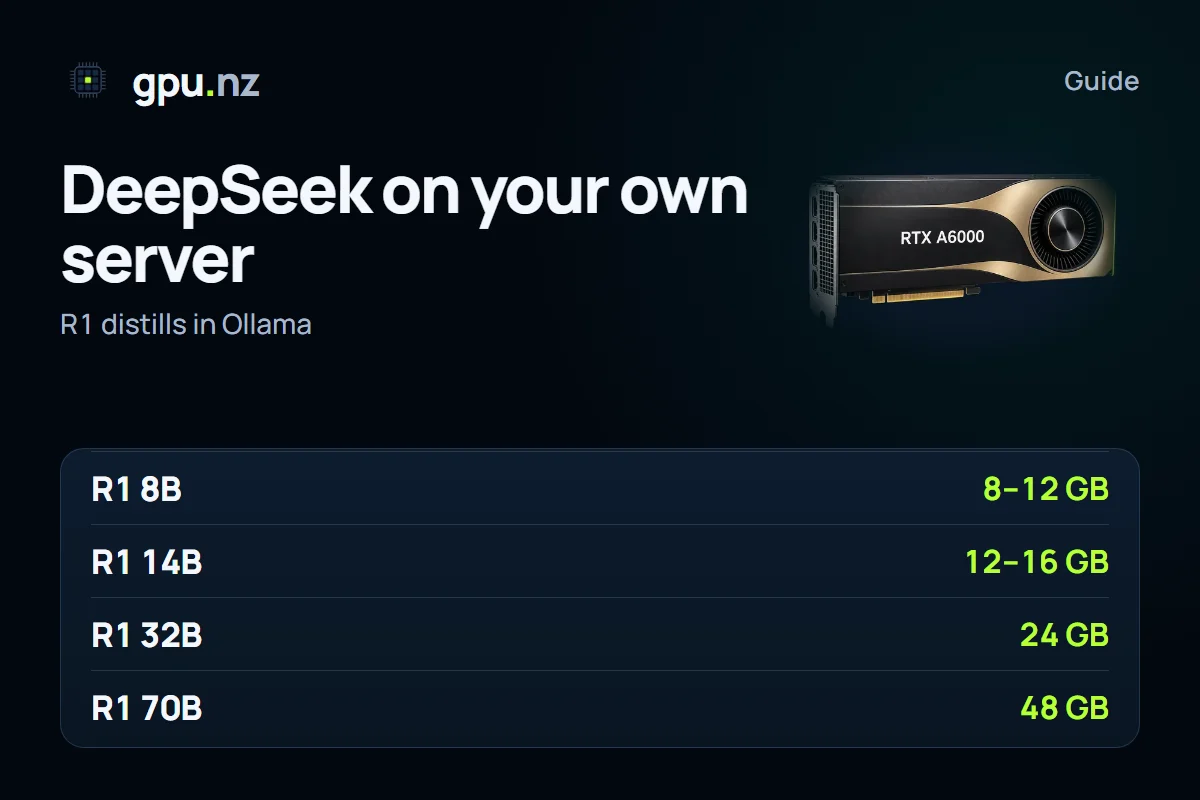
There are two ways to run DeepSeek. The full R1 and V3 models weigh 671 billion parameters and need a server with several GPUs, even when compressed. The distilled R1 versions, which are smaller models from 1.5 to 70 billion parameters, run on a single card. Most tasks are covered by the second option: pull it with ollama pull deepseek-r1:8b, or pick it in the Open WebUI + Ollama template on gpu.nz.
What R1 is
R1 is a model trained to reason at length before it gives the final answer. That is why it is strong on tasks where the path to the answer matters, and why it replies more slowly than a typical chat model. The R1 Distill versions carried this skill over to smaller models: they were trained on reasoning produced by the full R1.
Licences differ between versions. Distilled models built on Qwen or Llama follow the licence terms of those base models, so read the model card of the version you take before any commercial use.
Which DeepSeek version you need
The distilled models are trained on R1's reasoning on top of open base models. The 1.5B, 7B, 14B and 32B versions are built on Qwen 2.5, the 8b tag is built on Qwen3 8B, and the 70B is built on Llama 3.3. The memory figures are for the Ollama tags in Q4 quantisation and a short context.
| Variant | Ollama tag | File | Video memory |
|---|---|---|---|
| R1 distill 1.5B | deepseek-r1:1.5b | 1.1 GB | from 4 GB |
| R1 distill 7B | deepseek-r1:7b | 4.7 GB | 8 GB, tight; 12 GB is better |
| R1 distill 8B, built on Qwen3 8B | deepseek-r1:8b | 5.2 GB | 8–12 GB |
| R1 distill 14B | deepseek-r1:14b | 9.0 GB | 12–16 GB |
| R1 distill 32B | deepseek-r1:32b | 20 GB | 24 GB |
| R1 distill 70B | deepseek-r1:70b | 43 GB | 48 GB, or 80 GB with room to spare |
| Full R1, 671B | deepseek-r1:671b | 404 GB | a server with several GPUs |
The distilled models reason at length: the answer often starts with a long internal reasoning passage, and every token takes memory. For chat and logic tasks, use a context of 16 thousand tokens or more. For a full calculation of memory, see our guide how much video memory an LLM needs.
What DeepSeek is good for
R1 models are strongest where a step-by-step line of reasoning matters: mathematics, logic puzzles, debugging code and working through dense texts. For short answers, translation or simple chat they are often overkill, because the model spends time reasoning where it is not needed. For everyday chat, pick a compact model, and keep R1 for tasks where you need to check the answer step by step.
Why the full DeepSeek does not run on one card
The full R1 and V3 have 671 billion parameters. Their mixture-of-experts design uses about 37 billion of them for each token, but the whole set still has to sit in memory. The 4-bit file takes about 404 GB before the context, and the original FP8 format weighs about 670 GB.
That means a server with several GPUs. Eight 80 GB H100 cards give 640 GB in total, which is tight for the 4-bit version; with headroom for the context you need eight 141 GB H200 cards. The original FP8 weights need eight H200 or B200 cards. Such setups are expensive, so for most tasks a distilled model or an API is the better choice. Check which servers have several GPUs on the card pages in the catalogue, as availability changes.
Could you manage without several GPUs? Technically yes: some layers move to system RAM and the weights are read from disk. But generation then becomes very slow, and the full model needs hundreds of gigabytes of system RAM. That is a way to experiment with the model itself, not a way to get work done. If you need a parallel API, distilled models can be served with vLLM in the same way as Qwen; see the guide Qwen API on your own server.
Running a distilled model on gpu.nz, step by step
- Choose a card from the table. 14B fits in 16 GB, 32B needs a 24 GB card, and 70B needs 48 GB or more.
- Create a server with the Open WebUI + Ollama template. In the «Model» field, enter deepseek-r1:14b or another tag from the table.
- Wait for the launch. The chat opens once the model has loaded, and large tags take longer to download.
- Open the chat with the «Open» button, or connect over SSH and check the model with ollama ps.
ollama pull deepseek-r1:14b
ollama run deepseek-r1:14b
ollama ps
The answer starts with the model's reasoning. In Open WebUI it appears as a separate block; in raw output it sits between the <think> and </think> tags. In code, separate the reasoning from the answer if the user only needs the result. The model card advises against adding a system prompt: put all instructions in the user message, and set the temperature to about 0.6.
How to measure speed on your card
Speed depends on the card, the quantisation and the answer length. To find out what your server delivers, run the model with the --verbose flag: after the answer, Ollama prints the time taken and the generation speed in tokens per second.
ollama run deepseek-r1:14b --verbose "What is 17 × 24?"Compare a repeat run, not the first one: on the first request the model is still loading into video memory. If the speed is well below what you expect, check ollama ps: a share of CPU in the processor column slows generation down.
How to call the API
From outside the server, requests go through the protected link with the token, just like other Ollama models. A request looks like this:
curl https://<id>-11434.run.gpu.nz/api/chat -H "Authorization: Bearer <token>" -d '{"model": "deepseek-r1:14b", "stream": false, "options": {"temperature": 0.6}, "messages": [{"role": "user", "content": "Solve: 17 × 24"}]}'The reply contains both the reasoning and the result. If you need only the result, take the text after the closing </think> tag in your code. Other Ollama models and their sizes are covered in the guide best Ollama models, and the API walkthrough for vLLM is in Ollama and vLLM on a rented GPU.
If the answer contains a reasoning block, split it off in code: take the text after the last closing tag.
text = reply.choices[0].message.content
answer = text.split("</think>")[-1].strip()
print(answer)
If the server returns the reasoning in a separate field, you do not need this step. Check the structure of the first response before you write a parser.
Why the answer is long and what to do about it
Reasoning uses more tokens than a short answer, so the reply takes noticeably longer than in a typical chat. That is expected, not a fault. If the model stops in the middle of its reasoning, there is no final answer: in the API, pass the num_predict parameter inside options and set a limit longer than a usual reply.
Common errors when launching DeepSeek
- The model does not fit: ollama ps shows a share of CPU. Take a smaller tag or a card with more memory.
- The answer is cut off in the middle of the reasoning: raise num_predict.
- The answer is empty or odd: check that no system prompt was added and that the temperature is not set too low, because at very low temperatures the model can get stuck in loops.
- The download is slow: the 70b tag is about 43 GB, and the full R1 is about 404 GB. Run pull inside tmux or screen.
A distilled model or the full one
For chat, code and logic tasks, a 14B or 32B distilled model is enough. You need the full model if you study its behaviour or run the original weights with a long context and heavy load. In all other cases a distilled model is cheaper and faster: test it on your own tasks first, and move to a bigger model only if the quality falls short.
Models change over time. If you are looking for a newer DeepSeek release, check the file size on the model page in the Ollama library: the figures in this guide refer to R1 and V3. For most tasks, start with deepseek-r1:8b or 14B on a 12–16 GB card, judge the answers, and move to 32B if you need more quality. The full 671-billion-parameter model is a job for a cluster, not for one rented card. For more on choosing a setup for language models, see the LLM solution.
Questions and answers
- Can I run DeepSeek R1 locally on an ordinary PC?
- Not the full model: in the 4-bit format it weighs about 404 GB. Distilled versions run on a PC: 8B with 8–12 GB of video memory, 14B with 12–16 GB, and 32B with 24 GB.
- How do I install DeepSeek with Ollama?
- Run ollama pull deepseek-r1:8b, then ollama run deepseek-r1:8b. On gpu.nz, the Open WebUI + Ollama template does the same: you enter the tag in the «Model» field.
- How much video memory does DeepSeek R1 need?
- It depends on the version: 7B and 8B need about 5 GB in Q4, 14B about 9 GB, 32B about 20 GB, and 70B about 43 GB. The full R1 in 4 bits takes about 404 GB, so it needs several GPUs.
- What is the difference between DeepSeek R1 and R1 Distill?
- R1 is the full 671-billion-parameter model. Distill models are smaller ones trained on R1's reasoning on top of Qwen or Llama. They are easier to run, but on hard tasks they usually fall short of the full model.
- Why does DeepSeek write a long answer with a think tag?
- The model reasons first, which is how it normally works. The final answer comes after the reasoning. In the interface you can collapse the block, and in code you can drop it.
- Can I run a DeepSeek API on my own server?
- Yes: Ollama serves the API on port 11434 behind a protected link with a token. The address and the token are on the server page.