10 min read ·
Download a Hugging Face model to a GPU server: token and hf CLI
Token, hf download, the --include mask and broken downloads: how to get a Hugging Face model onto a server. GPT-OSS 120B (63.4 GB) takes 8.5 min at 1 Gbit/s.
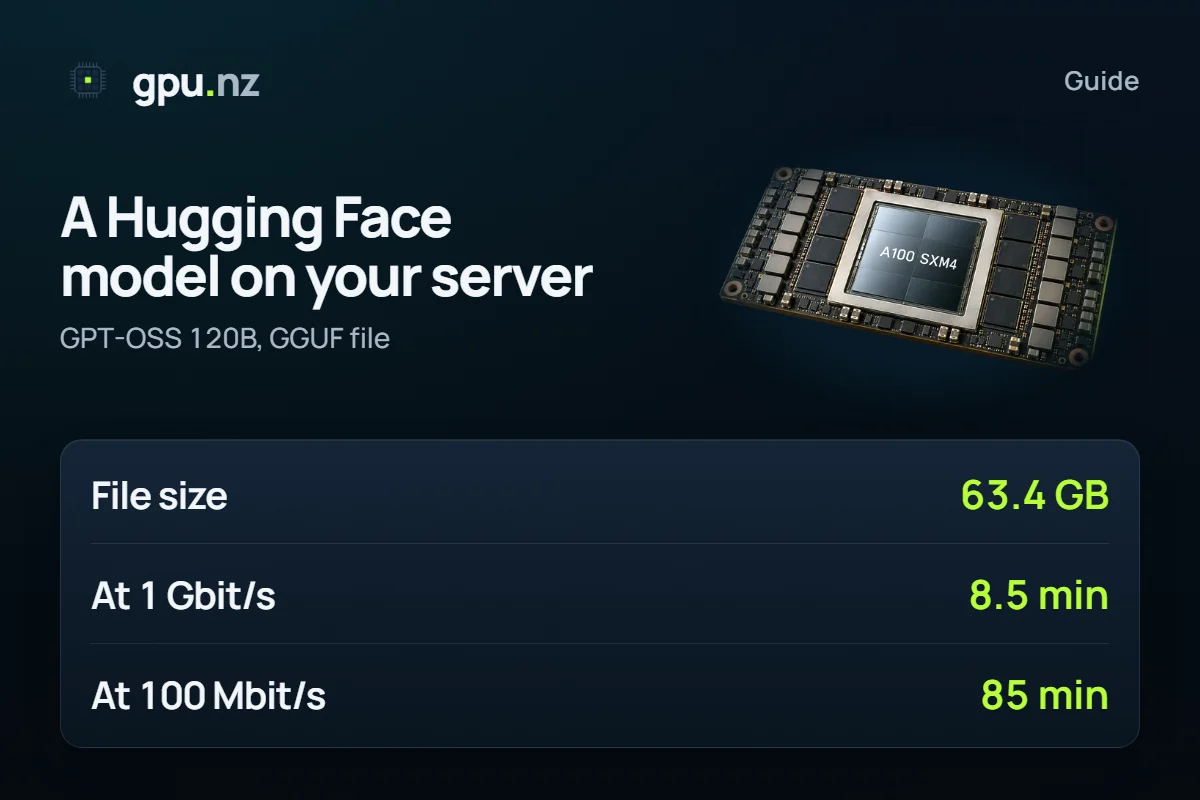
You download a Hugging Face model to a server with hf download over SSH, with spare disk space and, for gated models, a token. The GPT-OSS 120B GGUF file is 63.4 GB, so at 1 Gbit/s it downloads in 8.5 min, and at 100 Mbit/s in 85 min (the theoretical minimum). Below are six steps for a rented server, the rules for gated models, what to do when a download breaks, and a download-time table for popular files.
- GPT-OSS 120B, the MXFP4 GGUF file
- 63.4 GB
- GPT-OSS 120B, the MXFP4 GGUF file
- the same file at 1 Gbit/s, theoretical minimum
- 8.5 min
- the same file at 1 Gbit/s, theoretical minimum
- how much heavier all seven Qwen3 8B GGUF files are than the Q4_K_M one
- ×10
- how much heavier all seven Qwen3 8B GGUF files are than the Q4_K_M one
- disk headroom on top of the file size in our chat templates
- +50 GB
- disk headroom on top of the file size in our chat templates
What you need
- A Hugging Face account and an access token. It takes a minute to create, see below.
- A server you can reach over SSH. If this is your first time, start with the SSH guide.
- A disk with headroom: the file size plus 50 GB. The rule and examples are in the disk section.
- Time: from seconds to a few hours, depending on the file and the link. The server is billed during the download too.
How to download a model to the server in six steps
The example downloads one Qwen3 8B file at the Q4_K_M quantisation. For your own model, change the repository and the file mask.
Connect and open tmux
Log in over SSH and start a tmux session: if the connection drops, the download keeps running. Get back into the session with tmux attach -t hf.
tmux new -s hf # no tmux: apt-get update && apt-get install -y tmuxInstall hf
The hf command ships in the huggingface_hub package, which installs hf_xet to speed up downloads. The official installer makes a separate environment and needs Python 3.10 or newer. If you already have a Python environment, for example in the vLLM template, pip is enough.
curl -LsSf https://hf.co/cli/install.sh | bash export PATH="$HOME/.local/bin:$PATH" hf --help # instead of the installer, if a Python environment already exists pip install -U huggingface_hubPass the token
The token is typed without echo and stays out of your command history. It lives only in this session. If the token is accepted, hf auth whoami prints your Hugging Face name.
read -rs -p "HF token: " HF_TOKEN && export HF_TOKEN hf auth whoamiCheck the size and the space
The --dry-run flag lists the files and the total size without downloading anything. Compare it with df: when space runs short, hf only warns, and the download can stop halfway.
df -h /workspace hf download unsloth/Qwen3-8B-GGUF --include "*Q4_K_M*" --dry-run # [dry-run] Will download 1 files (out of 1) totalling 5.0GDownload the file
The --local-dir flag puts the finished files in your folder instead of the Hugging Face cache. Keep the folder on the server's disk, for example in /workspace.
hf download unsloth/Qwen3-8B-GGUF --include "*Q4_K_M*" --local-dir /workspace/models/qwen3-8bVerify the checksums
The command compares your files with what Hugging Face stores. The “missing locally” warnings are about the other files of the repository that you did not download.
hf cache verify unsloth/Qwen3-8B-GGUF --local-dir /workspace/models/qwen3-8b
Which token to create: read or fine-grained?
A read token, or a fine-grained one that can read the repositories you need, is enough to download. You do not need write.
- read reads everything your account can see, including gated models you have been given access to. The simplest choice.
- fine-grained gives access to selected repositories only. Take it for a server: if the token leaks, less is exposed.
- write also allows writing to your repositories. You do not need it to download.
Create a token in your Hugging Face settings: Settings, the Access Tokens tab, the New token button (huggingface.co/settings/tokens). The documentation recommends one token per use. Make one for this server and delete it when the server is gone.
You can also add HF_TOKEN once in the «Environment variables» section of your gpu.nz settings: the variable reaches every new server, but not the ones already running. On a new server, check it with test -n "$HF_TOKEN" && echo ok. If it prints nothing, pass the token by hand as in step 3.
The hf auth login command works too, but it writes the token to the $HF_HOME/token file, which stays on the server's disk. The HF_TOKEN variable is handier: it overrides the saved token and disappears with the session.
How to get a gated model
A gated model asks you to accept its author's terms. Do it in a browser, signed in to your account, on the model page: a request cannot be sent from the terminal. After that, download with a token from the same account.
The author chooses automatic or manual approval. With manual approval you may have to wait, and the author can revoke access at any time. For a fine-grained token, also add the right to read that repository.
- Llama 3.3 70B Instruct: manual approval of the request.
- FLUX.1 dev: automatic approval after you accept the licence.
- Gemma 4 31B, Qwen3 8B, GPT-OSS 120B and DeepSeek V4 Flash: open with no request. The previous Gemma 3 27B is gated.
These statuses come from the Hugging Face API on 20 October 2026; authors can change them.
How to download one file instead of the whole repository
A GGUF repository keeps one file per quantisation, and without a mask hf downloads them all. The seven main Qwen3 8B quantisations together weigh 50.1 GB: 10 times the single Q4_K_M file (5.0 GB). You pick the file by name or by mask.
# one file by name
hf download unsloth/Qwen3-8B-GGUF Qwen3-8B-Q4_K_M.gguf --local-dir /workspace/models/qwen3-8b

# every file of one quantisation: big models are split into parts
hf download unsloth/Qwen3-8B-GGUF --include "*Q4_K_M*" --local-dir /workspace/models/qwen3-8b

# a repository without the extra copies of the weights
hf download openai/gpt-oss-120b --exclude "original/*" --exclude "metal/*" --local-dir /workspace/models/gpt-oss-120b
Extra copies of the weights are a common source of hundreds of surplus gigabytes. On 20 October 2026 the openai/gpt-oss-120b repository keeps the original and metal folders next to the main safetensors files, and the last command skips them. Always check with --dry-run.
The same from Python: the snapshot_download function of the huggingface_hub package takes masks in allow_patterns and a folder in local_dir. It reads the token from HF_TOKEN.
from huggingface_hub import snapshot_download

snapshot_download(
    "unsloth/Qwen3-8B-GGUF",
    allow_patterns=["*Q4_K_M*"],
    local_dir="/workspace/models/qwen3-8b",
)
How long does a download take at 100 Mbit/s, 1 and 10 Gbit/s?
Time is file size × 8 ÷ link rate. This is a theoretical minimum: real speed depends on the server's link, the load on Hugging Face and the disk, so expect longer. The server is billed during the download too, see how not to overpay for GPU rental.
| File | 100 Mbit/s | 1 Gbit/s | 10 Gbit/s | Disk |
|---|---|---|---|---|
| Qwen3 8B, Q4_K_M 5.0 GB | 6.7 min | 40 s | 4 s | 56 GB |
| Gemma 4 31B, Q4_K_M 18.3 GB | 24 min | 2.4 min | 15 s | 69 GB |
| Qwen3.8 27B, Q4_K_M 16.5 GB | 22 min | 2.2 min | 13 s | 67 GB |
| Qwen3.8 27B, BF16 54.7 GB | 73 min | 7.3 min | 44 s | 105 GB |
| GPT-OSS 120B, MXFP4 63.4 GB | 85 min | 8.5 min | 51 s | 114 GB |
| Llama 3.3 70B, Q4_K_M 42.5 GB | 57 min | 5.7 min | 34 s | 93 GB |
| Llama 3.3 70B, BF16 141.1 GB | 3 h 8 min | 19 min | 1.9 min | 192 GB |
| DeepSeek V4 Flash, FP4/FP8 159.6 GB | 3 h 33 min | 21 min | 2.1 min | 210 GB |
| FLUX.1 dev, BF16 + text encoders + VAE 33.9 GB | 45 min | 4.5 min | 27 s | 84 GB |
The sizes come from the repositories the calculator uses: GGUF files, the original BF16 weights and each release's native format (MXFP4 for GPT-OSS, FP4/FP8 for DeepSeek). For GPT-OSS 120B this is the GGUF file; in the original openai repository the safetensors weights are a little larger. --dry-run gives the exact figure for your repository.
- 100 Mbit/s12.5 MB/s84.5 min
- 1 Gbit/s125 MB/s8.5 min
- 10 Gbit/s1.25 GB/s0.8 min
If the download is slow on your link, first compare it with the table. Then try the variables in the table below: HF_XET_HIGH_PERFORMANCE=1 uses the whole link and every CPU core, and a larger HF_HUB_DOWNLOAD_TIMEOUT protects against timeouts. A lighter quantisation is another way out.
| Variable | What it does | When you need it |
|---|---|---|
| HF_TOKEN | The access token; overrides the token saved by hf auth login | gated models, and rate limits without a token |
| HF_HOME | Where the token and the cache live; ~/.cache/huggingface by default | the cache should sit on a large disk, for example HF_HOME=/workspace/hf |
| HF_XET_HIGH_PERFORMANCE=1 | hf_xet uses the whole link and every CPU core | a fast link, 1–10 Gbit/s |
| HF_HUB_DOWNLOAD_TIMEOUT | Seconds to wait for the server's reply; 10 by default | a slow link, timeout errors |
| HF_HUB_DISABLE_XET=1 | Turns hf_xet off, the download uses plain HTTP | a download stuck without progress |
The HF_HUB_ENABLE_HF_TRANSFER variable and the hf_transfer package are deprecated. According to the Hugging Face docs, the whole Hub now runs on Xet storage and hf_transfer can no longer be used: HF_XET_HIGH_PERFORMANCE takes its place.
What to do when a download breaks
Most often it is your SSH session that drops, not the download. That is why step 1 starts the command in tmux: it keeps running after a disconnect. If the download itself broke, do this.
- Run the same command again. hf skips files that are fully downloaded, so a rerun finishes almost instantly.
- A half-downloaded file starts over. The Hugging Face docs say nothing about resuming. In our check, hf 2.2.0 downloaded such a file from zero after a hard interruption, and the old piece stayed in .cache/huggingface/download inside --local-dir as an .incomplete file. Delete those files, they take space. For the shared cache (no --local-dir), hf cache prune does it.
- Resume one huge file with wget -c. It continues from where it stopped; we tested it on a public file. For a gated model add --header="Authorization: Bearer $HF_TOKEN".
- The download hangs with no progress. Stop it (Ctrl+C) and start again. If it hangs again, turn Xet off: export HF_HUB_DISABLE_XET=1. Xet is off in our ready-made app templates: a download once hung there.
wget -c -O /workspace/models/qwen3-8b/Qwen3-8B-Q4_K_M.gguf \
  "https://huggingface.co/unsloth/Qwen3-8B-GGUF/resolve/main/Qwen3-8B-Q4_K_M.gguf"
How much disk to rent
The disk is the file size plus headroom. In our chat templates the recommended disk is the model size plus 50 GB, and the minimum is plus 30 GB. The headroom goes to the system, packages and leftover .incomplete files after a broken download. The Disk column in the table above follows the recommended rule.
You set the disk size at launch and it cannot be changed afterwards, so size it for every model you plan to download.
Where to put the files: Ollama, vLLM, llama.cpp, ComfyUI
Not every tool needs hf: Ollama and llama.cpp can fetch a model themselves, and vLLM takes it from the Hugging Face cache. Download by hand when you want a file in your own folder: to check the size, for ComfyUI, or to avoid downloading again.
| Tool | Where it gets the model | Command or folder |
|---|---|---|
| Ollama | Fetches the GGUF itself, Q4_K_M by default | ollama run hf.co/unsloth/Qwen3-8B-GGUF:Q4_K_M an already downloaded file: a FROM /path/file.gguf line in a Modelfile and the ollama create name command |
| llama.cpp | The -hf option downloads it, the token comes from HF_TOKEN | llama-server -hf unsloth/Qwen3-8B-GGUF:Q4_K_M more in the comparison of four tools |
| vLLM | Downloads the repository into the Hugging Face cache; HF_HOME moves it | The --model parameter takes a repository name or a folder path; gated models need HF_TOKEN |
| ComfyUI | Reads files from the models folders | /workspace/ComfyUI/models/diffusion_models, text_encoders, vae, loras; the folders are covered in the ComfyUI guide |
A ComfyUI example: FLUX.1 dev needs you to accept its licence, and the files go into three folders. If ComfyUI is not in /workspace/ComfyUI, find it with ls /workspace.
cd /workspace/ComfyUI/models
hf download black-forest-labs/FLUX.1-dev flux1-dev.safetensors --local-dir diffusion_models
hf download black-forest-labs/FLUX.1-dev ae.safetensors --local-dir vae
hf download comfyanonymous/flux_text_encoders clip_l.safetensors t5xxl_fp16.safetensors --local-dir text_encoders
Will the downloaded model fit the GPU?
The file size is only a lower bound: the context cache and runtime buffers come on top. GPT-OSS 120B in MXFP4 with an 8K context runs on a card with 80 GB of memory. Check your own model and context in the calculator; one table for 35 models is in How much VRAM do open LLMs really need?.
What can go wrong
- huggingface-cli: command not found. The current package (2.2.0) ships only the hf command. In old instructions and on model cards, replace huggingface-cli download with hf download: the flags are the same. Signing in is now hf auth login.
- An access error on a gated model. Check three things: you accepted the terms in a browser, the token comes from the same account, and a fine-grained token may read the repository.
- The token does not change after hf auth login. The HF_TOKEN variable overrides the saved token, and hf auth logout does not sign you out while it is set. Remove it with unset HF_TOKEN.
- Not enough space. When space is short, hf only warns and can stop in the middle of a file. Run df -h before downloading, and pick the disk size at launch: it cannot change later.
- One model downloaded twice. vLLM and libraries built on huggingface_hub put files in the cache, while hf download with --local-dir puts them in your folder. Choose one place.
How we counted
File sizes come from the calculator's data: the real file sizes in Hugging Face repositories (GGUF from unsloth's and other repositories, the original weights and, for GPT-OSS 120B, the GGUF file from ggml-org). The calculator stores gibibytes (1 GB = 1024³ bytes) like GPU memory, while Hugging Face shows decimal gigabytes (10⁹ bytes), so the figures here are multiplied by 1.0737. Time is the size in bytes × 8 ÷ the link rate in bits per second; overhead, the CDN and the disk are not counted. Data as of 2026-10-19; the key per-model figures are in the calculator.
Commands and variables were checked on 20 October 2026 against the documentation: huggingface.co/docs/huggingface_hub (the CLI, download, cache and environment-variable guides), huggingface.co/docs/hub (tokens, gated models, Ollama), docs.ollama.com, docs.vllm.ai, the llama.cpp README and docs.comfy.org. We also installed hf 2.2.0 (hf_xet 1.7.0) and tested on Linux the command help, --dry-run, hf cache verify, a rerun and an interrupted download. We confirmed how hf behaves when space runs short and after an interruption in its download source code. We tested wget -c on a public file, not on a gated file with a token.
Questions and answers
- How do I download a model from Hugging Face to a server?
- Install hf, set your token in the HF_TOKEN variable and run hf download with the repository name and the --local-dir flag. The --include flag picks one file or one quantisation. Check the size with --dry-run first.
- Do I need a Hugging Face token to download?
- Not for open models, although without a token hf warns about request limits. Gated models need a token and the terms accepted in a browser by the same account. A read token is enough to download.
- How do I download only one GGUF file?
- Give the file name after the repository, or a mask: hf download unsloth/Qwen3-8B-GGUF --include "*Q4_K_M*" --local-dir folder. Without a mask hf downloads every quantisation in the repository, many times more than you need.
- What if a Hugging Face download breaks?
- Run the same command: hf skips files that are fully downloaded. In our check a half-downloaded file started over, so run the download in tmux so that an SSH drop cannot stop it. A huge file can be resumed with wget -c.
- How long does a model take to download at 1 Gbit/s?
- The theoretical minimum is file size × 8 ÷ speed. GPT-OSS 120B (63.4 GB) takes 8.5 min, Llama 3.3 70B at Q4_K_M (42.5 GB) takes 5.7 min, and at BF16 (141.1 GB) 19 min. Real time is longer.
- Does hf_transfer still work?
- No. According to the Hugging Face docs the whole Hub runs on Xet storage and hf_transfer can no longer be used. The HF_XET_HIGH_PERFORMANCE=1 variable gives the maximum speed.


