7 min read ·
Gemma 4 VRAM requirements: which GPU for the 12B, 26B-A4B and 31B
Gemma 4 12B runs on a 12 GB card, the 26B-A4B and 31B on 24 GB at Q4. VRAM for every quantisation, contexts up to 256K and which GPU to pick.
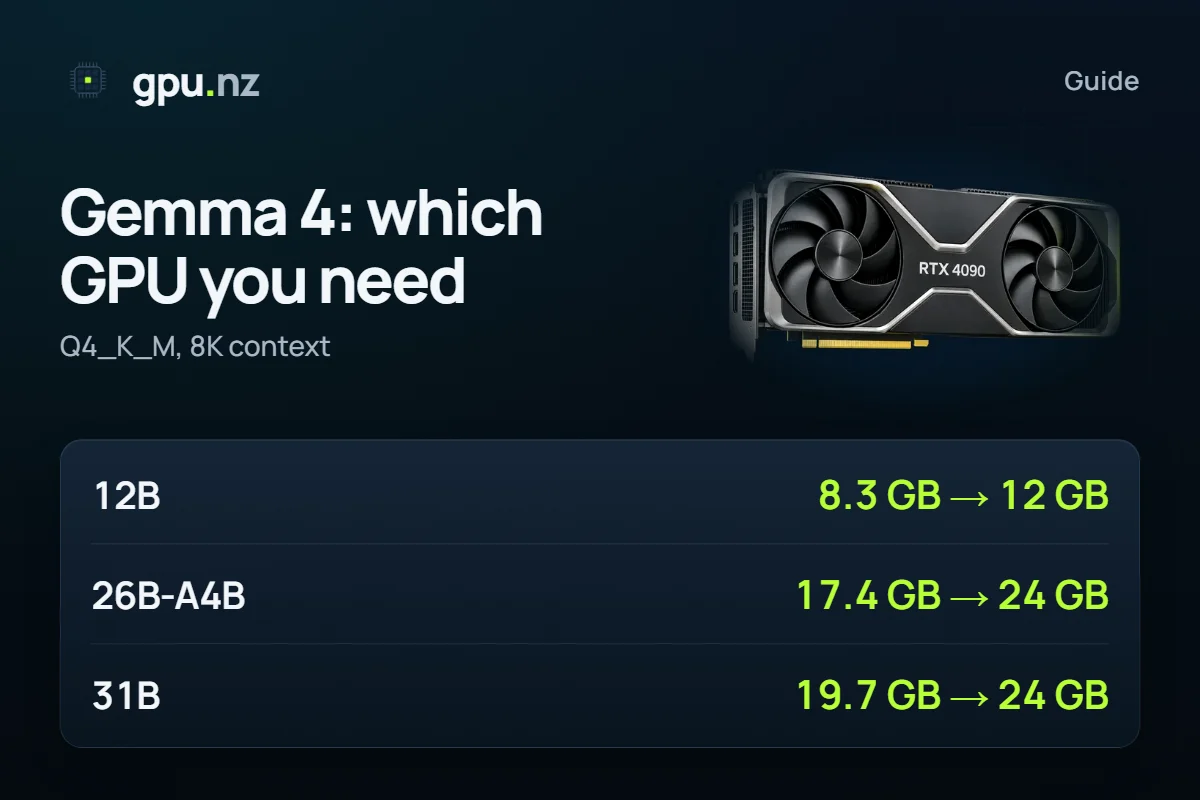
Gemma 4 12B at Q4_K_M with an 8K context needs 8.3 GB of GPU memory and runs on a 12 GB card. Gemma 4 26B-A4B and 31B at the same quantisation need 17.4 GB and 19.7 GB, so they want a 24 GB card. The figures come from the real model files and architectures; below are a table for every quantisation, a calculator and which version to pick.
- Gemma 4 12B, Q4_K_M, 8K context
- 8.3 GB
- Gemma 4 12B, Q4_K_M, 8K context
- Gemma 4 26B-A4B, Q4_K_M, 8K context
- 17.4 GB
- Gemma 4 26B-A4B, Q4_K_M, 8K context
- Gemma 4 31B, Q4_K_M, 8K context
- 19.7 GB
- Gemma 4 31B, Q4_K_M, 8K context
- maximum context of all three, tokens
- 256K
- maximum context of all three, tokens
Which Gemma 4 versions are there?
Gemma 4 is Google's family of open models. Three versions are worth a GPU, and all three understand images: you can send a photo, a screenshot or a diagram with your question.
- Gemma 4 12B — a dense model with 11.96B parameters. The lightest one: it fits 12 GB gaming cards.
- Gemma 4 26B-A4B — a Mixture-of-Experts model: 25.81B parameters in total, about 4B of them working on each token. That is what “A4B” means: 4B active.
- Gemma 4 31B — the largest dense model, 31.27B parameters, all of them working on every token.
There are also tiny versions for phones and laptops; this article covers the ones you need a GPU for.
How much VRAM does Gemma 4 need?
At Q4_K_M, the most popular quantisation, from 8.3 GB to 19.7 GB at an 8K context. Quantisation compresses the weights: Q4_K_M stores about 4.8 bits per parameter instead of the 16 of the original BF16 release, with little loss in answer quality. The total covers the weights, the context cache and the CUDA runtime.
- Gemma 4 12B8.3 GB
- Gemma 4 26B-A4B17.4 GB
- Gemma 4 31B19.7 GB
- Gemma 3 27Bprevious generation17.7 GB
The full table: memory for each version at four quantisations and the smallest card that holds it. Q8_0 is close to the original, BF16 is the original, and Q3_K_M is the compromise for cards where Q4 does not fit.
| Version | Q3_K_M | Q4_K_M | Q8_0 | BF16 |
|---|---|---|---|---|
| Gemma 4 12B | 7.0 GB 8 GB card | 8.3 GB 12 GB card | 13.5 GB 16 GB card | 23.9 GB 32 GB card |
| Gemma 4 26B-A4B | 13.5 GB 16 GB card | 17.4 GB 24 GB card | 26.6 GB 32 GB card | 48.6 GB 80 GB card |
| Gemma 4 31B | 16.4 GB 24 GB card | 19.7 GB 24 GB card | 33.1 GB 48 GB card | 59.9 GB 80 GB card |
Why a long context costs Gemma 4 so little
Most Gemma 4 layers remember only the last 1,024 tokens (a sliding window), and only some layers keep the whole conversation. So the context cache grows slowly: going from 8K to 128K tokens adds a few gigabytes, not tens of them as on an ordinary dense model.
- Gemma 4 12B1.9 GB
- Gemma 4 26B-A4B2.3 GB
- Gemma 4 31B9.4 GB
- DeepSeek R1 Distill Qwen 32Bfull attention on every layer30 GB
In practice Gemma 4 26B-A4B takes 19.7 GB even at a 128K context (about 200 pages of text) and stays on a 24 GB card. Gemma 4 31B holds 32K on 24 GB (21.6 GB) and needs a 32 GB card for 128K.
Check your own setup
Pick the version, quantisation and context length: the calculator shows the memory and the catalog GPUs that run it for the least money.
26B-A4B or 31B: which one?
Both need a 24 GB card, but they work differently. The 26B-A4B uses about 4B of its 26B parameters per token, so it answers noticeably faster. It still needs as much memory as a dense model of its size: every expert has to be loaded, even if only some work on each step.
- 26B-A4B — chats and APIs where answer speed and several requests at once matter; long documents on a 24 GB card.
- 31B — when you want the larger dense model and slower answers are fine. Test both on your own tasks before you settle: on a rented card that is an hour of work.
- 12B — 12–16 GB cards, quick answers, experiments with images and text on a small budget.
On a 16 GB card the 26B-A4B runs at Q3_K_M: 13.5 GB at 8K, a 16 GB card. Q3 answers are weaker than Q4, so for serious work take 24 GB.
Which GPU do you need for Gemma 4?
The smallest card for each version and quantisation at an 8K context. For long contexts and several requests at once, go one memory step up.
| Card memory | Runs (8K context) |
|---|---|
| 8 GB | 12B Q3_K_M |
| 12 GB | 12B Q4_K_M |
| 16 GB | 12B Q8_0, 26B-A4B Q3_K_M |
| 24 GB | 26B-A4B Q4_K_M, 31B Q3_K_M, 31B Q4_K_M |
| 32 GB | 12B BF16, 26B-A4B Q8_0 |
| 48 GB | 31B Q8_0 |
| 80 GB | 26B-A4B BF16, 31B BF16 |
How to run Gemma 4 on a rented GPU
No suitable card of your own? Rent a GPU server for the hours you need it. The 26B-A4B has a ready template with a chat and an API.
Pick a 24 GB card and the Gemma 4 26B template
In the catalog, an RTX 3090, RTX 4090 or RTX A5000 will do. Press Rent and choose the Gemma 4 26B template.
Wait 2–5 minutes
The server starts and the model (about 17 GB) downloads on first start.
Open the chat
The Open WebUI button on the server page opens the chat. Attach a picture to a message and ask what it shows.
Connect the API if you need it
The API follows the OpenAI format: the address from the «Ollama API» button, the model gemma4:26b and the token from the server page.
curl "https://<id>-11434.run.gpu.nz/v1/chat/completions" \ -H "Authorization: Bearer <token>" \ -H "Content-Type: application/json" \ -d '{"model": "gemma4:26b", "messages": [{"role": "user", "content": "Hello!"}]}'Stop the server when you are done
Billing is per minute: a stopped server costs nothing for the GPU, only its disk.
Gemma 4 12B and 31B run in the Ollama template from the GGUF files on Hugging Face (the unsloth/gemma-4-12B-it-GGUF and unsloth/gemma-4-31B-it-GGUF repositories):
ollama run hf.co/unsloth/gemma-4-31B-it-GGUF:Q4_K_MFor an API with several users, use vLLM with the original google/gemma-4-31B-it weights, which need an 80 GB card.
What can go wrong
- Images take up the context. A few large screenshots fill one conversation quickly. Start a new chat for a new set of images.
- Parallel requests multiply the cache. The figures above are for one request. In vLLM every concurrent request keeps its own context cache, so an API for several people needs headroom.
- A tight fit. Above 92% of the card's memory the model starts, but a long conversation or a large image may not fit. The calculator marks such cards as “tight”.
How we counted
Weights are the real file sizes: GGUF from unsloth's Hugging Face repositories, BF16 from Google's original ones. The context cache is computed from each model's config.json, sliding window included. The runtime is about 0.75 GB plus the logits buffer. 1 GB here is 1024³ bytes, as on GPUs. Data as of 2026-10-19; the method is in the calculator, and one table for 35 models is in How much VRAM do open LLMs really need?.
Questions and answers
- How much VRAM does Gemma 4 need?
- At Q4_K_M with an 8K context: 12B — 8.3 GB, 26B-A4B — 17.4 GB, 31B — 19.7 GB. The first runs on a 12 GB card, the other two need 24 GB.
- What does A4B mean in Gemma 4 26B-A4B?
- 4 billion active parameters. The model is a Mixture of Experts: 26B parameters in total, about 4B of them working on each token, so it answers faster than a dense model of the same size.
- Will Gemma 4 run on an RTX 3060 12 GB?
- Gemma 4 12B at Q4_K_M will: 8.3 GB at an 8K context and 10.2 GB even at 128K. The 26B-A4B and 31B do not fit in 12 GB.
- Does Gemma 4 understand images?
- Yes, all three versions — 12B, 26B-A4B and 31B — take images together with text. Images use up part of the context, so many large screenshots in one conversation fill it quickly.
- Where can I run Gemma 4 without my own GPU?
- Rent a server with a 24 GB card and the Gemma 4 26B template: the chat and the API open in 2–5 minutes. Billing is per minute; a stopped server costs only its disk.


