8 min read ·
Which GPU do you need for AI? Pick by task and VRAM
A chat with a 14B model needs 12 GB, FLUX and 27–32B models 24 GB, 70B models 48 GB. A task table, GPUs by memory size and live rental prices.
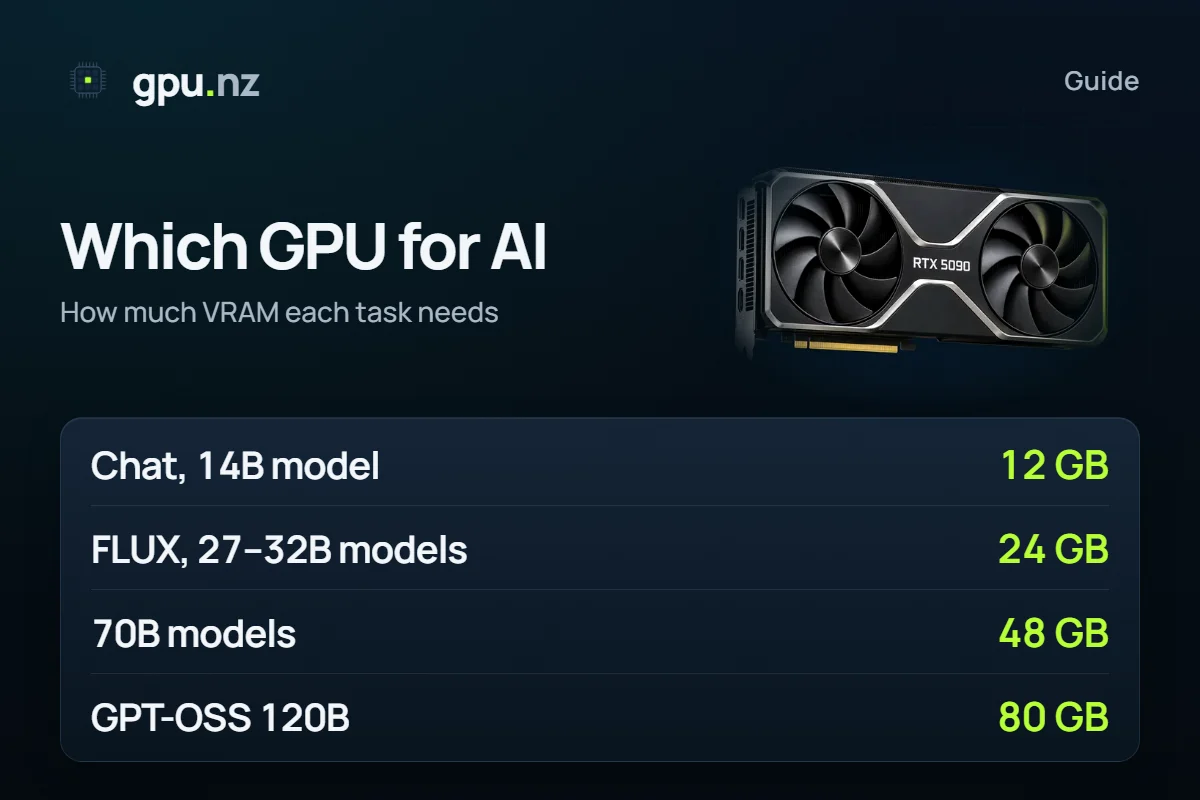
Pick a GPU for AI by its memory: the model has to fit in the card's VRAM in full. A chat with a 14B model runs on 12 GB; 27–32B models, FLUX and Wan 2.2 video on 24 GB; Llama 3.3 70B on 48 GB; GPT-OSS 120B on 80 GB. Below: a task-to-memory table, which cards belong to each memory size, and what an hour of each costs to rent right now.
- chat and code with models up to 14B
- 12 GB
- chat and code with models up to 14B
- 27–32B models, FLUX, Wan 2.2 video
- 24 GB
- 27–32B models, FLUX, Wan 2.2 video
- 70B models
- 48 GB
- 70B models
- GPT-OSS 120B on one card
- 80 GB
- GPT-OSS 120B on one card
Why memory comes first
A model runs fast only while its weights sit in GPU memory. When memory runs short, part of the model moves to system RAM and generation slows down many times over. So look at the gigabytes first and at the card's generation and speed second.
Speed matters too, but it decides how fast a model answers. Memory decides whether it runs at all. The RTX 3090 and RTX 4090 are different generations, but both have 24 GB and run the same models.
How much memory you need depends on three things: the model's size (its parameter count), quantisation — weight compression (Q4 stores about 4.8 bits per parameter instead of 16) — and the context length, how much text the model keeps in mind. The maths is in How much VRAM an LLM needs.
How much VRAM does each task need?
Chat and code need 12 GB, FLUX images 16 GB, strong models and video 24 GB. The figures come from the real model files.
- Qwen3 8BA simple chat6.8 GB
- Qwen3 14BChat and code10.7 GB
- FLUX.1 [dev]FLUX images13.3 GB
- Qwen3.8 27BA strong model for text and code17.2 GB
- Wan 2.2 A14B720p video21 GB
- Llama 3.3 70BA 70B model43.1 GB
- GPT-OSS 120BA large model on one card60.5 GB
| Task | Typical model | GPU memory | Smallest card |
|---|---|---|---|
| A simple chat | Qwen3 8B · Q4_K_M | 6.8 GB | 8 GB |
| SDXL images | Stable Diffusion XL | 6.8 GB | 8 GB |
| Chat and code | Qwen3 14B · Q4_K_M | 10.7 GB | 12 GB |
| Fast images | FLUX.2 [klein] 9B · FP8 | 10.6 GB | 12 GB |
| An assistant on one card | GPT-OSS 20B · MXFP4 | 12.6 GB | 16 GB |
| FLUX images | FLUX.1 [dev] · FP8 | 13.3 GB | 16 GB |
| A strong model for text and code | Qwen3.8 27B · Q4_K_M | 17.2 GB | 24 GB |
| 720p video | Wan 2.2 A14B · FP8 | 21.0 GB | 24 GB |
| Image editing | Qwen-Image-Edit · FP8 | 21.6 GB | 24 GB |
| LTX video | LTX-2.5 22B · FP8 | 27.0 GB | 32 GB |
| FLUX uncompressed | FLUX.1 [dev] · BF16 | 24.3 GB | 32 GB |
| FLUX.2 | FLUX.2 [dev] · FP8 | 36.1 GB | 48 GB |
| A 70B model | Llama 3.3 70B · Q4_K_M | 43.1 GB | 48 GB |
| A large model on one card | GPT-OSS 120B · MXFP4 | 60.5 GB | 80 GB |
Which GPUs are good for AI?
The workhorse size is 24 GB: most open models for text, code, images and video run on it. Below are the memory steps, the cards that have them and the tasks each step is the minimum for.
| Memory | Cards | What runs (smallest card for it) |
|---|---|---|
| 8 GB | RTX 3060 Ti, RTX 4060 | Qwen3 8B, Stable Diffusion XL |
| 12 GB | RTX 3060 12 GB | Qwen3 14B, FLUX.2 [klein] 9B |
| 16 GB | RTX 4060 Ti 16 GB, RTX 4080 | GPT-OSS 20B, FLUX.1 [dev] FP8 |
| 24 GB | RTX 3090, RTX 4090, RTX A5000 | Qwen3.8 27B, Wan 2.2 A14B, Qwen-Image-Edit |
| 32 GB | RTX 5090 | LTX-2.5 22B, FLUX.1 [dev] BF16 |
| 48 GB | RTX A6000, L40S | FLUX.2 [dev], Llama 3.3 70B |
| 80 GB | A100 80 GB, H100 | GPT-OSS 120B |
Check the memory for your model
Pick a model, quantisation and context length: the calculator shows the memory it needs and the cheapest catalog cards that hold it.
Gaming card or data-centre card?
To run ready models up to 32B parameters, 24–32 GB gaming cards are enough: the RTX 3090, RTX 4090 and RTX 5090. Data-centre A100, H100 and H200 cards are for models that do not fit in 32 GB, for a single 80 GB+ card, and for fine-tuning.
- LoRA fine-tuning of a 7–8B model: about 24 GB, QLoRA 16 GB. More in choosing a GPU for LoRA.
- Full fine-tuning of a 7B model takes about 112 GB: two 80 GB cards.
- An API for many users on vLLM: every concurrent request keeps its own context cache, so leave plenty of headroom.
Buy a GPU or rent one?
Your own card pays off when it is busy nearly all the time. If you need AI models a few hours a week or are still choosing a model, renting costs less: you pay for the minutes you use and can move to a bigger card at any time. The break-even maths is in Buy an H100 or rent one.
How to run a model on a rented GPU
Work out the memory
Find your model in the VRAM calculator or the table above. Leave headroom: above 92% of the card, a long conversation may not fit.
Pick a card
Filter the catalog by memory. The hourly price is shown up front; billing is per minute.
Pick a template
For a chat, Open WebUI + Ollama or a ready model chat; for an API with several users, vLLM; for images, the ComfyUI and Forge templates. All of them are on the templates page.
Work, then stop the server
The server starts in 2–5 minutes. When you are done, stop it: the GPU charge stops and only the disk is billed.
What can go wrong
- A tight fit. The model starts, but a long context or a large image no longer fits. Pick a card where the model takes at most 90% of the memory.
- The wrong quantisation. The same model in BF16 is 3–4 times larger than in Q4_K_M. Check which file you download.
- AMD and Mac. Most AI tools — PyTorch, ComfyUI, vLLM — are built first for NVIDIA GPUs with CUDA. On other platforms some models are harder or slower to run.
How we counted
Language models: weights are the real GGUF and native file sizes on Hugging Face, the context cache follows each model's architecture, plus about 0.75 GB of CUDA runtime; 8K context, one request. Images and video: the model, VAE and working memory of a ComfyUI generation. A card fits when the model takes at most 97.5% of its memory. 1 GB is 1024³ bytes. Data as of 2026-10-19; a table for 35 language models is in How much VRAM do open LLMs really need?.
Questions and answers
- Which GPU do I need for AI?
- Look at the memory. A chat with a model up to 14B needs 12 GB, most 27–32B models, FLUX and video need 24 GB, and 70B models need 48 GB.
- Is 8 GB of VRAM enough for AI?
- For small tasks, yes: an 8B model at Q4_K_M and SDXL images fit in 8 GB. FLUX needs 16 GB, and 27–32B models need 24 GB.
- RTX 3090 or RTX 4090 for AI?
- Both have 24 GB, so they run the same models. The RTX 4090 is newer and faster, the RTX 3090 costs less. If memory matters more than speed, the 3090 does the same jobs.
- Can I run AI models on an AMD GPU?
- Yes, but with more effort: PyTorch, ComfyUI, vLLM and most ready-made builds target NVIDIA with CUDA first. For an easy setup without surprises, pick NVIDIA.
- What if I have no GPU or a weak one?
- Rent a server with the card you need for the hours you work. A server with a ready environment starts in 2–5 minutes, billing is per minute, and a stopped server costs nothing for the GPU.


