10 min read ·
An AI model for coding: which open model and what GPU it needs
An AI model for coding on your own server: open coding models take 18.7–21.3 GB at Q4 and fit a 24 GB card. Chat versus agent, and how to choose.
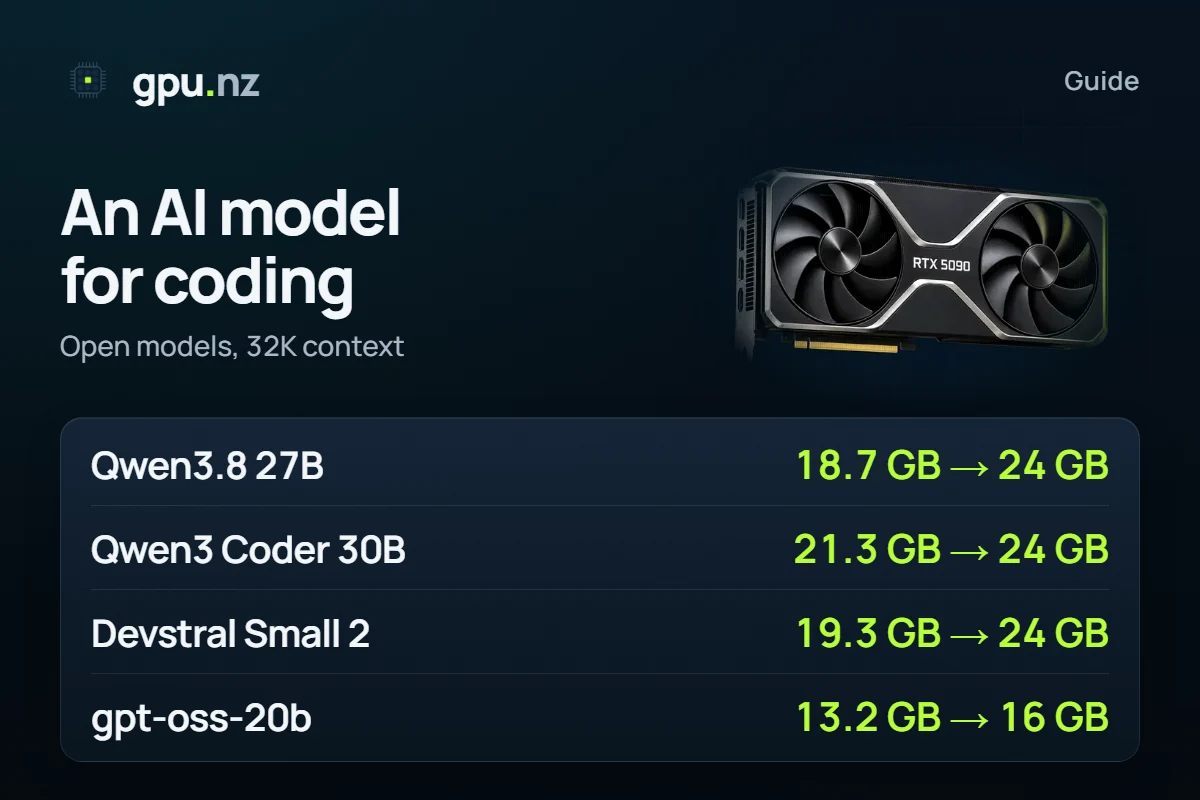
You can run an AI model for coding yourself: an open model of 24–31 billion parameters at Q4_K_M needs 18.7 to 21.3 GB at a 32K context and runs on a 24 GB GPU. A chat writes code when you ask; an agent reads the project, edits files and runs tests on its own, and it cares more about tool calling and a long context than about model size. Below: how to choose without rankings, a table of models, VRAM, rent-or-buy and a path to a first task in 10–15 minutes.
- gpt-oss-20b, MXFP4, 32K context — a 16 GB card
- 13.2 GB
- gpt-oss-20b, MXFP4, 32K context — a 16 GB card
- Qwen3.8 27B, Q4_K_M, 32K context — a 24 GB card
- 18.7 GB
- Qwen3.8 27B, Q4_K_M, 32K context — a 24 GB card
- Qwen3 Coder 30B-A3B, Q4_K_M, 32K context — a 24 GB card
- 21.3 GB
- Qwen3 Coder 30B-A3B, Q4_K_M, 32K context — a 24 GB card
- tokens of context: the minimum for coding tools according to Ollama's documentation
- 64,000
- tokens of context: the minimum for coding tools according to Ollama's documentation
What is the difference between a coding chat and an agent that edits your project?
A chat answers a question: you paste a snippet, the model returns a fixed one. You copy the files yourself, and the model sees only what you show it.
An agent works on its own. It asks to read a file, searches the project, edits several files, runs the tests and looks at the result. This is called tool calling: the model emits a command, a program runs it and returns the output.
So an AI coding agent needs three things from a model: tool calling, a long context (the whole dialogue with files and command output) and staying on the GPU entirely. If part of the model spills into system memory, speed drops noticeably.
How do you choose a coding model: four checks instead of a ranking
There is no single best coding model: leaderboard results are published by the model authors, and your project does not look like their tasks. Choose by four checks, then try two or three models on your own code.
- Size and memory. It decides the GPU: the weights plus the context cache. A Mixture-of-Experts (MoE) model holds all its parameters in memory but computes only some for each token, so it answers faster than a dense model of the same size.
- Context. An agent needs at least 64,000 tokens (Ollama's documentation says so for coding tools). Check how much the model holds on its card and how much your card can afford.
- Tool calling. It should be on the model's card, not just «writes code». Without it there is no agent.
- Licence. Apache 2.0 and MIT allow commercial use. Some models have their own licence, and its terms are worth reading before you ship a product on it.
Which open models are made for code?
The gpu.nz calculator has six models that their authors describe as coding or agent models. We read the licences and contexts on the model cards on 2026-11-16. Memory is computed from the real files, one request.
| Model | Parameters weights at Q4 | Context | Licence | Card for 32K | Card for 128K |
|---|---|---|---|---|---|
| Qwen3.8 27B | 27.8B Q4_K_M 15.3 GB | 256K | Apache 2.0 | 24 GB | 32 GB |
| Qwen3 Coder 30B-A3B | 30.5B 3.3B active Q4_K_M 17.3 GB | 256K | Apache 2.0 | 24 GB | 32 GB |
| Devstral Small 2 24B | 24.0B Q4_K_M 13.3 GB | 256K | Apache 2.0 | 24 GB | 48 GB |
| GLM-4.7 Flash | 31.2B 3.0B active Q4_K_M 17.1 GB | 198K | MIT | 24 GB | 32 GB |
| GPT-OSS 20B | 20.9B 3.6B active MXFP4 11.3 GB | 128K | Apache 2.0 | 16 GB | 16 GB |
| Qwen3 Coder 480B-A35B | 480.2B 35.0B active Q4_K_M 270.1 GB | 256K | Apache 2.0 | 4 × 80 GB | 4 × 80 GB |
- Qwen3.8 27B — Alibaba's dense general model with 27.8B parameters. Its card claims gains in coding and long agentic tasks, and it also reads images. It is the one we tested in an agent (see the measurement below).
- Qwen3 Coder 30B-A3B — an MoE model, 3.3B parameters work on each token. Its card mentions function calling and Qwen Code and Cline support. If you search for «qwen coder», this is it.
- Devstral Small 2 24B — Mistral AI's model for software engineering: the card describes an agent that explores a codebase and edits several files. The official release is FP8 (24.0 GB of weights); the table counts Q4_K_M.
- GLM-4.7 Flash — an MoE model from Z.ai under the MIT licence. Its card shows a vLLM launch with a tool-call parser (tool-call-parser).
- gpt-oss-20b — OpenAI's open model. Its card lists function calling and agentic tasks. It ships in MXFP4, so a 16 GB card is enough.
- Qwen3 Coder 480B-A35B — the large sibling from the same series. No single card holds it: it takes 4 cards of 80 GB at a 32K context and 4 at 128K.
DeepSeek Coder and Qwen2.5-Coder date from 2023–2024 and are not in the calculator. DeepSeek Coder has its own licence (deepseek-license), so read its terms separately. For current DeepSeek models see DeepSeek V4 Flash, and for the Qwen family which Qwen model to pick.
How much VRAM does a local coding model need?
At Q4_K_M and a 32K context 4 of the 5 models take 18.7 to 21.3 GB and fit a 24 GB card. Quantisation compresses the weights: Q4_K_M stores about 4.8 bits per parameter instead of 16. The context cache comes on top, and the longer the agent's conversation, the bigger it is.
- Qwen3.8 27B18.7 GB
- Qwen3 Coder 30B-A3B21.3 GB
- Devstral Small 2 24B19.3 GB
- GLM-4.7 Flash19.8 GB
- GPT-OSS 20BMXFP413.2 GB
An agent usually needs more than 32K. At 64K the picture changes: Qwen3.8 27B (20.7 GB) and GLM-4.7 Flash (21.4 GB) stay on a 24 GB card, while Qwen3 Coder 30B-A3B (24.3 GB) and Devstral Small 2 (24.3 GB) ask for a 32 GB card. For 128K, Qwen3.8 27B needs a 32 GB card and Devstral Small 2 a 48 GB one.
These figures count the context cache at 16 bits. Ollama's documentation calls the 8-bit cache (OLLAMA_KV_CACHE_TYPE=q8_0) about half the size, with very little loss of precision. Our measurement on 2026-11-11 (one run): Qwen3.8 27B through Ollama on an RTX 4090 with a 64K context stayed fully on the GPU only with the 8-bit cache (q8_0 and OLLAMA_FLASH_ATTENTION=1). With the default cache part of the model spilled to the CPU and speed fell by about a third. The calculator gives 20.7 GB for this case: that is about 88% of the card's usable memory: little headroom, and Ollama keeps buffers of its own.
Check your own model and context
Pick the model, quantisation and context length: the calculator shows the memory and the catalog GPUs that run it for the least money.
Is a home GPU enough, and when is renting cheaper than buying?
A 24 GB card, such as an RTX 3090 or RTX 4090, holds 4 models of the table at a 32K context. A 16 GB card suits gpt-oss-20b (13.2 GB) and nothing else here. At 12 GB or less no model of the table fits: take smaller ones, listed in the best Ollama models.
If you have no such card, or you need a long context, rent one by the hour. Compare buying with renting without guessing: divide the card's price by the hourly price from the cards below to get the number of hours after which buying pays off. Add electricity and idle time. Someone who codes with an agent a couple of times a week may never reach that number.
How to try it in ten minutes: gpu.nz Code
gpu.nz Code is our free open-source app (MIT, github.com/gpunz/gpunz-code). It is an AI coding agent built on OpenCode; we are not affiliated with the OpenCode team. The agent runs on your computer, and the app itself rents a server, starts a model on it and connects the agent.
Download the app
On the gpu.nz Code page pick Windows, macOS or Linux. Installation details are in the documentation.
Sign in with your gpu.nz account
Press «Sign in with gpu.nz» and confirm the code in the browser. Your balance needs money: the server is billed per minute, with no per-token price and no request limit.
Pick a model
Start with Qwen 3.8 27B, the one we tested with the agent. For your own model enter its Ollama name or a Hugging Face GGUF link and press «Calculate»: the app shows the card it needs and the hourly price before launch.
Open your project folder and give a task
The first launch usually takes 5–14 minutes while the server downloads the model. In our run on 2026-11-11 it took about six and a half minutes from the click to the first answer. The project is not uploaded: only requests to the model go to the server. The agent asks before destructive commands.
Choose the idle shutdown
The server is deleted after 15, 30 or 60 minutes of idleness and when you quit the app. If a host fails, the app takes another server.
The second route is a chat without an agent. The Qwen 3.8 template gives a chat and an API on a 24 GB card: enough for questions and snippets, but it is set for a 16,384-token context, too little for an agent. The other models of the table run in the Ollama template: enter a model name from the Ollama library, for example devstral-small-2:24b, qwen3-coder:30b, gpt-oss:20b or glm-4.7-flash (names checked on ollama.com on 16 November 2026).
A model without tool calling can only answer in text
An agent needs tool calling: without it the model cannot read a file or run a command and just writes a reply. The models of the table describe it on their cards, and for Qwen3.8 27B we tested it ourselves. If you connect your own model, the app warns you after launch whether it can call tools. By then the launch is already billed by the minute, so look for the words tool calling or function calling on its card before you start.
What can go wrong
- Ollama cuts a long prompt silently. In our measurement on 2026-11-11 a prompt longer than the context returned HTTP 200 without an error: the model simply never saw the beginning. Ollama's documentation says the default context is 4K below 24 GiB of VRAM and 32K at 24–48 GiB. A «24 GB» card shows slightly less than 24 GiB, so set the context yourself (OLLAMA_CONTEXT_LENGTH) and check it with ollama ps.
- Part of the model spilled to the CPU. It runs, but slowly. The PROCESSOR column of ollama ps should say «100% GPU».
- The agent does too much. Read a command before you allow it, especially deletes and writes outside the project. Use «Allow always» only for harmless commands.
- A forgotten server. It is billed by the minute for as long as it exists. The idle shutdown helps, but it does not replace a glance at your balance.
- Too aggressive quantisation. Q2 and Q3 save memory but the answers get worse. For code start at Q4_K_M, then judge by the result.
How we counted
Memory is the calculator's estimate from the real GGUF files and the model architectures: weights, a 16-bit context cache and the CUDA runtime. 1 GB here is 1024³ bytes, as on GPUs. Data as of 2026-10-19. We took each licence from the header of the model card on Hugging Face and the context from the card text, or, where the card does not give it (GLM-4.7 Flash, gpt-oss-20b), from max_position_embeddings in config.json; everything was read on 2026-11-16. For Devstral Small 2 the card says 256K and config.json 393,216 tokens. Ollama's defaults and variables come from its documentation, read on 2026-11-16. The measurements of 2026-11-11 are one run of OpenCode 1.19.5 with Qwen3.8 27B on an RTX 4090 through Ollama's OpenAI-compatible endpoint: tool calls worked. It is not a benchmark and should not be generalised. We did not compare or rank model quality. One table for 35 models is in How much VRAM do open LLMs really need?.
Questions and answers
- Which AI model is best for code?
- There is no single best one: choose by size, context, tool calling and licence, then try two or three models on your own code. In the gpu.nz calculator a 24 GB card suits Qwen3.8 27B, Qwen3 Coder 30B-A3B, Devstral Small 2 and GLM-4.7 Flash, and a 16 GB card suits gpt-oss-20b.
- How is an AI coding agent different from a chat?
- A chat answers a question, while an agent reads your project files, edits them and runs the tests on its own. The model has to support tool calling and hold a long context for that.
- How much VRAM do Qwen Coder and Devstral need?
- At Q4_K_M and a 32K context Qwen3 Coder 30B-A3B takes 21.3 GB and Devstral Small 2 takes 19.3 GB; both need a 24 GB card. At 64K they ask for 32 GB.
- Is there a replacement for DeepSeek Coder?
- DeepSeek Coder dates from 2023–2024, has its own licence and is not in the gpu.nz calculator. Newer coding models are Qwen3 Coder, Devstral Small 2 and GLM-4.7 Flash, and DeepSeek itself now offers V4 Flash and V3.2.
- Is a home GPU enough for a local AI coding model?
- A 24 GB card holds 4 of the 5 models at a 32K context, but the headroom is gone at 64K and beyond. A 16 GB card suits only gpt-oss-20b (13.2 GB).
- How can I try an AI coding model without my own GPU?
- Download the free gpu.nz Code app, sign in with your gpu.nz account and pick a model. The app rents a GPU server itself; the first launch usually takes 5–14 minutes and billing is per minute.


