10 min read ·
Image models by VRAM: FLUX.2, Qwen-Image, SD 3.5 and SDXL
SDXL runs on an 8 GB card, FLUX.1 dev at fp8 on 16 GB, Qwen-Image on 24 and FLUX.2 dev on 48. VRAM for every format and the GPU to rent for each model.
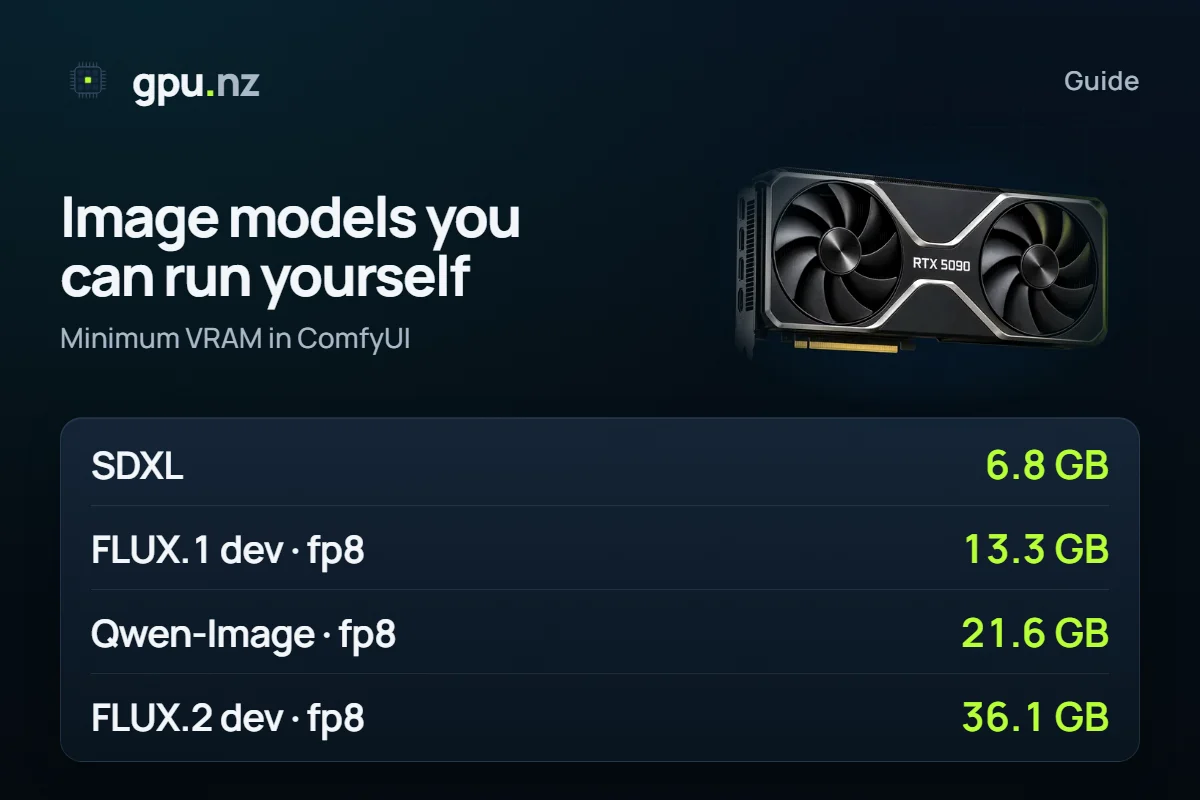
SDXL runs on an 8 GB card, FLUX.1 [dev] in the compressed fp8 format on a 16 GB card, Qwen-Image in fp8 on a 24 GB card and FLUX.2 [dev] on a 48 GB card. These are minimums. They hold when ComfyUI unloads the text encoder from GPU memory while it draws; keeping everything resident needs more. Below you will find a table for eight models in four formats, two charts, a card guide and the steps to run one on a rented server.
- SDXL, minimum
- 6.8 GB
- SDXL, minimum
- FLUX.1 [dev] at fp8, minimum
- 13.3 GB
- FLUX.1 [dev] at fp8, minimum
- Qwen-Image at fp8, minimum
- 21.6 GB
- Qwen-Image at fp8, minimum
- FLUX.2 [dev] at fp8, minimum
- 36.1 GB
- FLUX.2 [dev] at fp8, minimum
Which image models can you run yourself?
The gpu.nz calculator holds eight image models from three teams: Black Forest Labs (the FLUX family), Qwen from Alibaba and Stability AI (Stable Diffusion). “Stable Diffusion” and “FLUX” are not single models but two families, each with several generations, sizes and licences.
| Model | Maker | Network, billions of parameters | Weights licence |
|---|---|---|---|
| FLUX.1 dev | Black Forest Labs | 11.9 | FLUX.1 [dev] Non-Commercial License; [schnell] is Apache 2.0 |
| FLUX.2 dev | Black Forest Labs | 32.2 | FLUX Non-Commercial License |
| FLUX.2 klein 9B | Black Forest Labs | 9.1 | FLUX Non-Commercial License |
| FLUX.2 klein 4B | Black Forest Labs | 3.9 | Apache 2.0 |
| Qwen-Image | Qwen (Alibaba) | 20.4 | Apache 2.0 |
| SD 3.5 Large | Stability AI | 8.2 | Stability Community License: commercial use is free under 1 million dollars of annual revenue |
| SDXL | Stability AI | 2.6 | CreativeML Open RAIL++-M |
| SD 1.5 | Stability AI | 0.9 | CreativeML OpenRAIL-M |
The licence matters as much as the memory. The weights of FLUX.1 [dev], FLUX.2 [dev] and FLUX.2 [klein] 9B come under Black Forest Labs' non-commercial licences. On the FLUX.1 [dev] and FLUX.2 [dev] cards the authors write that the generated outputs may be used, commercially included, on the licence's terms. For commercial use of the weights themselves they sell a separate licence. This is not legal advice: before you work for a client, read the licence text of your version.
In the calculator FLUX.1 has one row for [dev], [schnell] and Kontext. According to its Hugging Face card, [schnell] is released under Apache 2.0.
How much VRAM does each model need?
The minimum runs from 2.9 GB for SD 1.5 to 36.1 GB for FLUX.2 [dev] at fp8. Every model has three parts: the network that draws the picture, the text encoder that reads your prompt and the VAE that turns the result into pixels. We give two figures per model. Minimum means ComfyUI unloads the encoder while it draws, so the network, the VAE and working memory stay on the GPU. Comfortable means everything is resident at once.
- SD 1.5one 16-bit format2.9 GB
- FLUX.2 [klein] 4B5.3 GB
- SDXLone 16-bit format6.8 GB
- SD 3.5 Large9.6 GB
- FLUX.2 [klein] 9B10.6 GB
- FLUX.1 [dev]13.3 GB
- Qwen-Image21.6 GB
- FLUX.2 [dev]36.1 GB
Here is the full table for four formats. Each cell shows the minimum on the left, the comfortable figure on the right, and the cards that hold them below.
| Model | bf16 | fp8 | GGUF Q8_0 | GGUF Q4_0 |
|---|---|---|---|---|
| FLUX.1 dev | 24.3 / 33.4 GB cards 32 / 48 | 13.3 / 18.0 GB cards 16 / 24 | 14.0 / 18.8 GB cards 16 / 24 | 8.5 / 13.3 GB cards 12 / 16 |
| FLUX.2 dev | 63.1 / 96.3 GB cards 80 / 141 | 36.1 / 52.9 GB cards 48 / 80 | 35.0 / 51.8 GB cards 48 / 80 | 20.0 / 36.8 GB cards 24 / 48 |
| FLUX.2 klein 9B | 19.1 / 34.3 GB cards 24 / 48 | 10.6 / 18.3 GB cards 12 / 24 | 11.2 / 18.8 GB cards 12 / 24 | 8.1 / 14.6 GB cards 12 / 16 |
| FLUX.2 klein 4B | 8.9 / 16.4 GB cards 12 / 24 | 5.3 / 9.1 GB cards 8 / 12 | 5.6 / 9.3 GB cards 8 / 12 | 4.3 / 7.5 GB cards 8 / 8 |
| Qwen-Image | 40.6 / 56.1 GB cards 48 / 80 | 21.6 / 30.3 GB cards 24 / 32 | 22.8 / 31.5 GB cards 24 / 48 | 13.3 / 22.0 GB cards 16 / 24 |
| SD 3.5 Large | 17.2 / 27.6 GB cards 24 / 32 | 9.6 / 15.7 GB cards 12 / 24 | 10.1 / 16.2 GB cards 12 / 24 | 6.6 / 12.4 GB cards 8 / 16 |
| SDXL | 6.8 / 8.3 GB cards 8 / 12 | — | — | — |
| SD 1.5 | 2.9 / 3.1 GB cards 8 / 8 | — | — | — |
A dash means the calculator has no such format: SDXL and SD 1.5 have one 16-bit file (the bf16 column). Q8_0 and Q4_0 for FLUX.1 [dev] come from the published GGUF files; for the other models they are computed from the parameter count at 8.5 and 4.5 bits per weight.
What is a text encoder, and why does ComfyUI unload it?
The text encoder turns your prompt into numbers that the network draws from. It is needed at the start: once the prompt is encoded, the network works without it.
Older models have small encoders: SDXL has two CLIP models (1.5 GB), SD 1.5 has one (0.23 GB). Newer models use a whole language model: Mistral Small 3 24B in FLUX.2 [dev], Qwen3 in FLUX.2 [klein] and Qwen2.5-VL 7B in Qwen-Image. FLUX.1 and SD 3.5 use T5-XXL together with CLIP.
- FLUX.2 [dev]Mistral Small 3 24B16.8 GB
- Qwen-ImageQwen2.5-VL 7B8.7 GB
- FLUX.2 [klein] 9BQwen3 8B7.6 GB
- SD 3.5 LargeCLIP-L + CLIP-G + T5-XXL6.1 GB
- FLUX.1 [dev]T5-XXL + CLIP-L4.8 GB
- FLUX.2 [klein] 4BQwen3 4B3.8 GB
- SDXLCLIP-L + OpenCLIP-G1.5 GB
- SD 1.5CLIP-L0.2 GB
- SD 3.5 Large networkfor comparison, fp87.6 GB
When the GPU cannot hold the network and the encoder together, ComfyUI frees memory before it loads the next model. The encoder moves to the server's system RAM and the network takes its place. That is the “minimum”. The price is RAM: it must be at least as large as the encoder, which is 16.8 GB for FLUX.2 [dev] at fp8 and 8.7 GB for Qwen-Image. Check the server's RAM before you rent.
fp8, Q8 or Q4: what you give up to save memory
Compression shrinks the network: for FLUX.1 [dev], fp8 divides its size by 2 and GGUF Q4_0 by 3.5, and you pay with a small loss of precision. The original weights of most of these models are stored in bf16, two bytes per parameter: 22.2 GB for FLUX.1 [dev]. fp8 stores a parameter in one byte (11.1 GB). GGUF Q8_0 and Q4_0 are formats from llama.cpp, about 8.5 and 4.5 bits per parameter.
- fp8 is the simplest route: ComfyUI reads these files without add-ons, and Comfy-Org publishes ready fp8 versions of Qwen-Image and FLUX.2 [dev]. Any compression changes the picture; how visibly depends on the model and the prompt, so compare on your own. The diffusers documentation warns that fp8 quantisation can depend on the card type and the CUDA and PyTorch versions.
- GGUF Q8_0 and Q4_0 need the ComfyUI-GGUF node (city96's repository on GitHub). You install it into custom_nodes with git clone and pip install --upgrade gguf, put the files into models/unet and load them with the Unet Loader (GGUF) node. According to the node's author, quantisation affects transformer models such as FLUX less, while for regular convolutional networks (UNet) it proved unfeasible; LoRA with GGUF is experimental. That is why the calculator has one format for SDXL.
- Q4_0 is the fallback for modest cards. FLUX.1 [dev] at Q4_0 needs 8.5 GB at least, a 12 GB card. SD 3.5 Large needs 6.6 GB, an 8 GB card.
Which model should you pick?
Memory and licence decide first, taste second. You can compare models on your own prompts in an hour of rental. Here is what the authors say about their models.
- SDXL and SD 1.5 are the lightest: 6.8 GB and 2.9 GB at the minimum. We counted SD 1.5 at 512×512 and SDXL at 1024×1024.
- SD 3.5 Large: according to Stability AI, it improves image quality, typography and complex prompt understanding. At fp8 it needs 9.6 GB at least.
- FLUX.1 [dev] has a network of 11.9 billion parameters. At fp8 it needs 13.3 GB at least, a 16 GB card.
- FLUX.2 [dev]: according to Black Forest Labs, it takes up to 10 reference images, draws legible fine text and works with images up to 4 megapixels. At fp8 it needs 36.1 GB at least, a 48 GB card.
- FLUX.2 [klein]: according to the authors, it is built for local work and fast generation. The 4B version is released under Apache 2.0 and needs 5.3 GB at fp8. The 9B version has a non-commercial licence and needs 10.6 GB.
- Qwen-Image: according to Qwen, its strength is complex text inside pictures, in English and Chinese. It is Apache 2.0 and needs 21.6 GB at fp8. For photo edits there is Qwen-Image-Edit: see the ComfyUI walkthrough.
More on FLUX versions and Kontext terms is in the FLUX guide; Stable Diffusion and its interfaces are in the Stable Diffusion guide.
What is not in the table: Z-Image Turbo, Qwen-Image 2.1, FLUX 3
The calculator was checked on 2026-10-19, and image models appear more often than that. Three notable ones are not in it, so this article gives no memory figures for them.
- Z-Image Turbo (Tongyi-MAI, Alibaba) is a distilled model that, according to its authors, needs only 8 steps. It is Apache 2.0 and ComfyUI supports it. It runs in the Uncensored Image Chat template.
- Qwen-Image 2.1 is Qwen's new generation for creating and editing pictures. Its model page lists the Qwen Research License, not Apache 2.0, so read the terms separately. Qwen-Image-2512, the December update, is Apache 2.0 and lists the same network size as the original Qwen-Image.
- FLUX 3 Image Klein is a new model from Black Forest Labs. It has its own licence, the FLUX Kommunity License v.1.0.
Which GPU does each model need?
The table shows what runs on a card of each size. For every model it picks the heaviest of bf16, fp8 and Q4_0 that fits. Q8_0 is skipped because it is almost always a little heavier than fp8. The exception is FLUX.2 [dev], whose ready fp8 file from Comfy-Org is larger than the computed Q8_0. SDXL and SD 1.5 sit in the bf16 line: they have one 16-bit format.
| Card memory | Minimum: the encoder is unloaded | Comfortable: everything resident |
|---|---|---|
| 8 GB | bf16: SDXL, SD 1.5 fp8: FLUX.2 [klein] 4B GGUF Q4_0: SD 3.5 Large | bf16: SD 1.5 GGUF Q4_0: FLUX.2 [klein] 4B |
| 12 GB | bf16: FLUX.2 [klein] 4B, SDXL, SD 1.5 fp8: FLUX.2 [klein] 9B, SD 3.5 Large GGUF Q4_0: FLUX.1 [dev] | bf16: SDXL, SD 1.5 fp8: FLUX.2 [klein] 4B |
| 16 GB | bf16: FLUX.2 [klein] 4B, SDXL, SD 1.5 fp8: FLUX.1 [dev], FLUX.2 [klein] 9B, SD 3.5 Large GGUF Q4_0: Qwen-Image | bf16: SDXL, SD 1.5 fp8: FLUX.2 [klein] 4B GGUF Q4_0: FLUX.1 [dev], FLUX.2 [klein] 9B, SD 3.5 Large |
| 24 GB | bf16: FLUX.2 [klein] 9B, FLUX.2 [klein] 4B, SD 3.5 Large, SDXL, SD 1.5 fp8: FLUX.1 [dev], Qwen-Image GGUF Q4_0: FLUX.2 [dev] | bf16: FLUX.2 [klein] 4B, SDXL, SD 1.5 fp8: FLUX.1 [dev], FLUX.2 [klein] 9B, SD 3.5 Large GGUF Q4_0: Qwen-Image |
| 32 GB | bf16: FLUX.1 [dev], FLUX.2 [klein] 9B, FLUX.2 [klein] 4B, SD 3.5 Large, SDXL, SD 1.5 fp8: Qwen-Image GGUF Q4_0: FLUX.2 [dev] | bf16: FLUX.2 [klein] 4B, SD 3.5 Large, SDXL, SD 1.5 fp8: FLUX.1 [dev], FLUX.2 [klein] 9B, Qwen-Image |
| 48 GB | bf16: FLUX.1 [dev], FLUX.2 [klein] 9B, FLUX.2 [klein] 4B, Qwen-Image, SD 3.5 Large, SDXL, SD 1.5 fp8: FLUX.2 [dev] | bf16: FLUX.1 [dev], FLUX.2 [klein] 9B, FLUX.2 [klein] 4B, SD 3.5 Large, SDXL, SD 1.5 fp8: Qwen-Image GGUF Q4_0: FLUX.2 [dev] |
| 80 GB | bf16: FLUX.1 [dev], FLUX.2 [dev], FLUX.2 [klein] 9B, FLUX.2 [klein] 4B, Qwen-Image, SD 3.5 Large, SDXL, SD 1.5 | bf16: FLUX.1 [dev], FLUX.2 [klein] 9B, FLUX.2 [klein] 4B, Qwen-Image, SD 3.5 Large, SDXL, SD 1.5 fp8: FLUX.2 [dev] |
The ComfyUI template is meant for cards of 12 GB and up; on 8 GB these models are easier to run on your own computer. For picking a card for any task, see the guide GPU for AI.
How to run an image model on a rented GPU
No suitable card of your own? Rent a server for as long as you work. The example below is Qwen-Image at fp8: its files sit in an open repository, so no token is needed.
Wait 2–5 minutes
The server starts. When it is ready, its page shows the ComfyUI and JupyterLab buttons.
Download the model files
Open a terminal through JupyterLab and download the network, the text encoder and the VAE into their folders. Together they take about 28 GB. If the ComfyUI folder is not at this path, find it with ls /workspace.
cd /workspace/ComfyUI/models wget -c -P diffusion_models "https://huggingface.co/Comfy-Org/Qwen-Image_ComfyUI/resolve/main/split_files/diffusion_models/qwen_image_fp8_e4m3fn.safetensors" wget -c -P text_encoders "https://huggingface.co/Comfy-Org/Qwen-Image_ComfyUI/resolve/main/split_files/text_encoders/qwen_2.5_vl_7b_fp8_scaled.safetensors" wget -c -P vae "https://huggingface.co/Comfy-Org/Qwen-Image_ComfyUI/resolve/main/split_files/vae/qwen_image_vae.safetensors"Open the workflow template
In ComfyUI open the template library (Browse Templates), find Qwen-Image and point the loader nodes at the downloaded files. If nodes are missing, update ComfyUI or install them with ComfyUI Manager.
Generate a picture and stop the server
Type a prompt and run it. Download the results and stop the server: billing is per minute, and a stopped server costs nothing for the GPU, only its disk.
SDXL and SD 1.5 are easier to run in Forge: checkpoints go to models/Stable-diffusion and the interface is the familiar AUTOMATIC1111 one. If you do not want graphs, the Uncensored Image Chat template starts a chat with Z-Image Turbo and FLUX.2 [klein] 4B, with ComfyUI still at hand. ComfyUI installation and model folders are covered in a separate guide; card choice and costs are in Stable Diffusion and FLUX on a rented GPU.
What can go wrong
- Not enough RAM. The unloaded encoder waits in the server's system RAM. If RAM is smaller than the encoder (16.8 GB for FLUX.2 [dev] at fp8), generation can slow down or fail.
- The figures are for the base resolution. We counted a 1024×1024 picture, and 1328×1328 for Qwen-Image. A larger resolution, LoRA files, ControlNet and several input images for edits add memory, and the table does not include them.
- A tight fit. Above 92% of a card's usable memory the model starts but has no room for anything extra. Qwen-Image at fp8 on 24 GB is exactly this case.
- Compressed files change the picture. fp8 and especially Q4_0 give a result that differs from bf16. Compare a few prompts before you run a large batch.
- Models appear faster than tables. Data as of 2026-10-19: check the file sizes and the licence on the model page before you download.
How we counted
File sizes come from the official Hugging Face repositories and Comfy-Org's ComfyUI packages. Where fp8 or GGUF has no published file, the size is computed from the parameter count. The minimum is the larger of two figures: the encoder plus 0.5 GB, or the network with the VAE and working memory. Comfortable means everything resident at once. Working memory is our estimate of activations and VAE decoding at the base resolution in ComfyUI with its default attention; we did not measure it on a card. 1 GB here is 1024³ bytes, as on GPUs, so our figures are about 7% smaller than the file listings on Hugging Face, which use decimal gigabytes. Usable card memory is 97.5% of the nominal figure. Licences and the authors' descriptions come from the models' Hugging Face cards, read on 2026-10-20. Data as of 2026-10-19; the method and the other models are in the calculator, and general card advice is in GPU for AI.
Questions and answers
- How much VRAM does FLUX.2 need?
- FLUX.2 [dev] at fp8 needs 36.1 GB at least, a 48 GB card, and 52.9 GB with everything resident. The smaller FLUX.2 [klein] models at fp8 are lighter: 9B needs 10.6 GB (a 12 GB card) and 4B needs 5.3 GB (an 8 GB card).
- Which image model runs on an 8 GB graphics card?
- SDXL (from 6.8 GB), SD 1.5 (from 2.9 GB) and FLUX.2 [klein] 4B at fp8 (from 5.3 GB). SD 3.5 Large fits in the compressed Q4_0 format at 6.6 GB. These figures are minimums, with ComfyUI unloading the text encoder.
- How is FLUX different from Stable Diffusion?
- FLUX comes from Black Forest Labs, Stable Diffusion from Stability AI. FLUX.1 [dev] is larger than SDXL, 11.9 billion network parameters against 2.6, so at fp8 it needs 13.3 GB at least against 6.8 GB for SDXL. The licences differ too.
- Can I use FLUX and Stable Diffusion in commercial projects?
- It depends on the model. SD 3.5 Large is free to use commercially under 1 million dollars of annual revenue, FLUX.1 [dev] and FLUX.2 [dev] have non-commercial licences, and Qwen-Image and FLUX.2 [klein] 4B are Apache 2.0. Read the licence of your exact version: this is not legal advice.
- What is a text encoder in an image model?
- It is the part of the model that turns your prompt into numbers for the network that draws the picture. In newer models it is large: FLUX.2 [dev] uses a 24-billion-parameter Mistral language model. ComfyUI can unload it from GPU memory once the prompt is encoded.
- Can I run FLUX or Qwen-Image without my own GPU?
- Yes. Rent a server with ComfyUI and pay for the minutes you use. Qwen-Image at fp8 runs on a 24 GB card, FLUX.1 [dev] at fp8 on a 16 GB card and FLUX.2 [dev] on a 48 GB card.


