9 min read ·
RTX PRO 6000 Blackwell 96 GB for AI: which models fit on one card
29 of 35 LLMs fit an RTX PRO 6000 with 96 GB, 23 uncompressed. Every model at 8K and 32K context, plus a comparison with the 5090 and 48 and 80 GB cards.
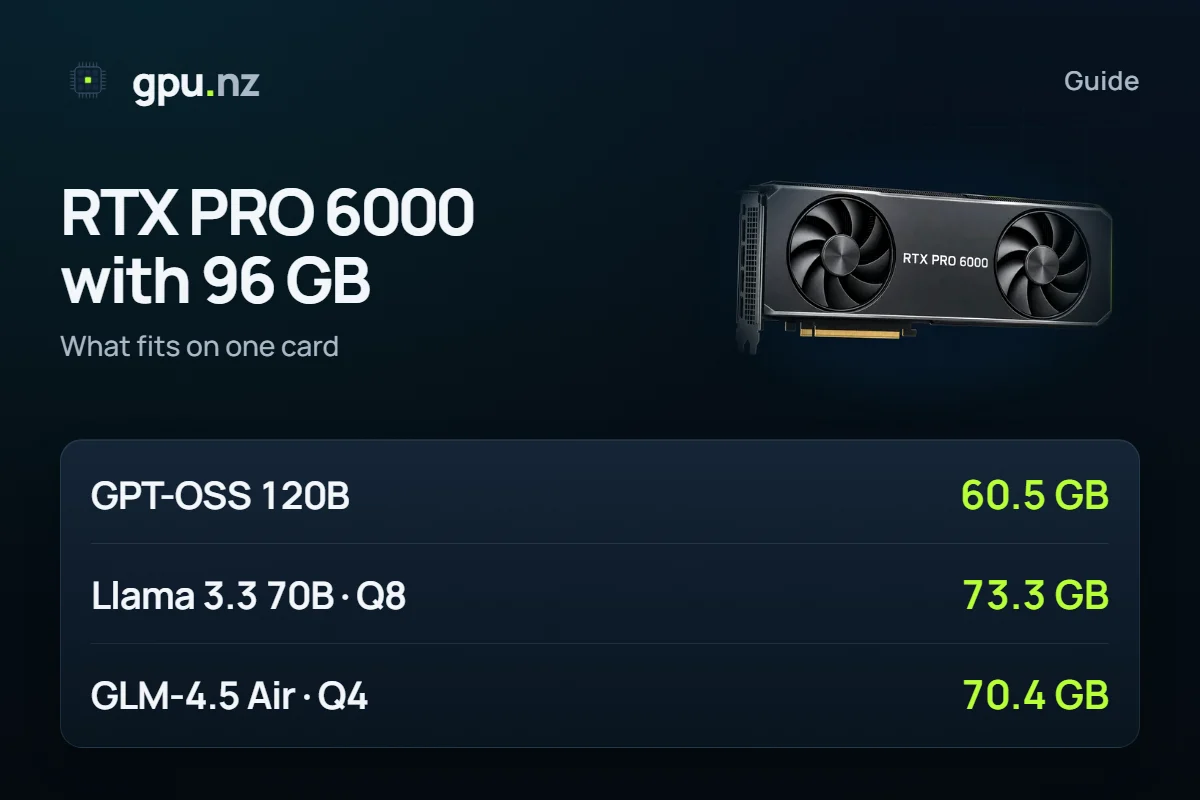
One RTX PRO 6000 Blackwell with 96 GB of video memory holds 29 of the 35 open LLMs in our calculator at an 8K context, and 23 of them uncompressed. Llama 3.3 70B runs at Q8_0 with a 32K context (80.8 GB), and GPT-OSS 120B takes 60.5 GB. Below are a table for every model, a comparison with 32, 48 and 80 GB cards, images and video, and how to run it on a rented card.
- LLMs fit 96 GB at some precision, 8K context
- 29 of 35
- LLMs fit 96 GB at some precision, 8K context
- of them at original precision: BF16 or the release's own format
- 23 of 35
- of them at original precision: BF16 or the release's own format
- GPT-OSS 120B at MXFP4, 8K context
- 60.5 GB
- GPT-OSS 120B at MXFP4, 8K context
- Llama 3.3 70B at Q8_0, 32K context
- 80.8 GB
- Llama 3.3 70B at Q8_0, 32K context
What is the card: 96 GB of GDDR7 in three editions
The RTX PRO 6000 Blackwell is an NVIDIA professional GPU with 96 GB of GDDR7 memory with error correction (ECC). It comes in three editions: the Workstation Edition for workstations, the 300 W Max-Q Workstation Edition and the Server Edition for servers. The memory is the same on all of them; power, cooling and memory bandwidth differ.
| Edition | Memory | Memory bandwidth | Power | Form factor |
|---|---|---|---|---|
| Workstation Edition | 96 GB GDDR7 with ECC | 1792 GB/s | up to 600 W | dual slot |
| Max-Q Workstation Edition | 96 GB GDDR7 with ECC | 1792 GB/s | 300 W | dual slot, active cooling |
| Server Edition | 96 GB GDDR7 with ECC | 1597 GB/s | up to 600 W, configurable | air: dual slot; liquid: single slot |
In the gpu.nz catalog they appear as RTX PRO 6000, RTX PRO 6000 Max-Q and RTX PRO 6000 Server. The main card, with its live price, is on the RTX PRO 6000 96 GB page; this article covers what runs on it.
Which LLMs fit in 96 GB?
29 of 35: that many models fit in the 93.6 GB a program can use on a 96 GB card at an 8K context. The driver and CUDA keep the other 2.5% or so. For each model we looked for the highest precision among BF16, FP8, Q8_0, Q6_K, Q5_K_M, Q4_K_M, Q3_K_M and Q2_K at which it still fits.
Precision is how the weights are stored: the higher it is, the closer the model stays to the original. Q8_0 and FP8 usually differ little from the original, Q4_K_M is the usual compromise, and answers at Q2_K are noticeably weaker.
- 32 GB · RTX 509012 of 35
- 48 GB · RTX A6000, L40S13 of 35
- 80 GB · A100, H10023 of 35
- 96 GB · RTX PRO 600023 of 35
The gap between 48 and 80 GB is large; between 80 and 96 GB it is zero by this measure: the same 23 models fit uncompressed. The extra 16 GB serve other purposes, covered below.
The full table, from the largest models to the smallest. Each cell gives the precision and the memory of the whole configuration: weights, context cache and runtime buffers. “Tight” means more than 92% of the memory is in use.
| Model | Highest precision, 8K context | Highest precision, 32K context |
|---|---|---|
| Kimi K2 1T | does not fit | does not fit |
| DeepSeek V3.2 | does not fit | does not fit |
| DeepSeek R1 671B | does not fit | does not fit |
| Qwen3 Coder 480B-A35B | does not fit | does not fit |
| GLM-5.3 Flash | does not fit | does not fit |
| Hunyuan Hy3 | does not fit | does not fit |
| DeepSeek V4 Flash | UD-Q2_K_XL, 91.3 GB, tight | UD-Q2_K_XL, 91.6 GB, tight |
| Qwen3 235B-A22B | Q2_K, 82.3 GB | Q2_K, 86.7 GB, tight |
| GPT-OSS 120B | MXFP4, 60.5 GB | MXFP4, 61.3 GB |
| GLM-4.5 Air | Q5_K_M, 80.3 GB | Q5_K_M, 84.6 GB |
| Qwen3 Next 80B-A3B | FP8, 77.7 GB | FP8, 78.3 GB |
| Llama 3.3 70B | Q8_0, 73.3 GB | Q8_0, 80.8 GB |
| Hermes 4.3 36B | Q8_0, 38.8 GB | Q8_0, 44.8 GB |
| Qwen3 32B | BF16, 64.1 GB | BF16, 70.1 GB |
| DeepSeek R1 Distill Qwen 32B | BF16, 64.1 GB | BF16, 70.1 GB |
| Gemma 4 31B | BF16, 59.9 GB | BF16, 61.7 GB |
| GLM-4.7 Flash | BF16, 57.3 GB | BF16, 58.5 GB |
| Qwen3 30B-A3B | BF16, 58.7 GB | BF16, 60.9 GB |
| Qwen3 Coder 30B-A3B | BF16, 58.7 GB | BF16, 60.9 GB |
| Qwen3.8 27B | BF16, 52.8 GB | BF16, 54.3 GB |
| Gemma 3 27B | BF16, 52.6 GB | BF16, 54.5 GB |
| Gemma 4 26B-A4B | BF16, 48.6 GB | BF16, 49.1 GB |
| Mistral Small 3.2 24B | BF16, 46.2 GB | BF16, 49.9 GB |
| Devstral Small 2 24B | BF16, 46.2 GB | BF16, 49.9 GB |
| GPT-OSS 20B | MXFP4, 12.6 GB | MXFP4, 13.2 GB |
| Qwen3 14B | BF16, 29.8 GB | BF16, 33.6 GB |
| Phi-4 14B | BF16, 29.8 GB | the model's context ends at 16K |
| Ministral 3 14B | BF16, 27.4 GB | BF16, 31.2 GB |
| Mistral Nemo 12B | BF16, 25.1 GB | BF16, 28.8 GB |
| Gemma 4 12B | BF16, 23.9 GB | BF16, 24.3 GB |
| Qwen3.5 9B | BF16, 18.2 GB | BF16, 19.0 GB |
| Qwen3 8B | BF16, 17.4 GB | BF16, 20.8 GB |
| DeepSeek R1 0528 Qwen3 8B | BF16, 17.4 GB | BF16, 20.8 GB |
| Llama 3.1 8B | BF16, 17.0 GB | BF16, 20.0 GB |
| Qwen3.5 4B | BF16, 9.4 GB | BF16, 10.1 GB |
What do 96 GB add over 32, 48 and 80 GB?
That is three times the memory of a 32 GB card, twice that of a 48 GB card and 16 GB more than an A100 or H100. The table shows what that means for large models: the highest precision at an 8K context.
| Model | 32 GB RTX 5090 | 48 GB RTX A6000 | 80 GB A100, H100 | 96 GB RTX PRO 6000 |
|---|---|---|---|---|
| Qwen3 32B | Q6_K 28.1 GB | FP8 35.0 GB | BF16 64.1 GB | BF16 64.1 GB |
| Llama 3.3 70B | Q2_K 28.1 GB | Q4_K_M 43.1 GB | Q8_0 73.3 GB | Q8_0 73.3 GB |
| GPT-OSS 120B | — | — | MXFP4 60.5 GB | MXFP4 60.5 GB |
| GLM-4.5 Air | — | Q2_K 44.7 GB | Q4_K_M 70.4 GB | Q5_K_M 80.3 GB |
| Qwen3 Next 80B-A3B | Q2_K 28.5 GB | Q4_K_M 46.5 GB | FP8 77.7 GB | FP8 77.7 GB |
| Qwen3 235B-A22B | — | — | — | Q2_K 82.3 GB |
- Against 32 GB (RTX 5090). Llama 3.3 70B fits 32 GB only at Q2_K, but 96 GB at Q8_0. GPT-OSS 120B does not fit 32 GB at all. The RTX 5090 and the RTX PRO 6000 Workstation have the same memory bandwidth, 1792 GB/s (NVIDIA figures), so do not expect extra speed from the extra gigabytes: they change what you can run at all.
- Against 48 GB (RTX A6000, L40S). For Llama 3.3 70B the ceiling on 48 GB is Q4_K_M, or Q3_K_M with a 32K context. GPT-OSS 120B and GLM-4.5 Air do not fit 48 GB at a good precision.
- Against 80 GB (A100, H100). The gain is smaller: whatever fits 80 GB uncompressed also fits 96 GB. But GLM-4.5 Air fits at Q5_K_M instead of Q4_K_M, Llama 3.3 70B with a 32K context at Q8_0 instead of Q6_K, and Qwen3 235B-A22B runs on one card, though at Q2_K.
- Qwen3 Next 80B-A3B · FP8 · 32K78.3 GB
- GLM-4.5 Air · Q5_K_M · 8K80.3 GB
- Llama 3.3 70B · Q4_K_M · 128K80.6 GB
- Llama 3.3 70B · Q8_0 · 32K80.8 GB
- Qwen3 235B-A22B · Q2_K · 8K82.3 GB
A long context is another reason. The cache of Llama 3.3 70B takes 10.0 GB for every 32K tokens, so at Q4_K_M with a 128K context the model needs 80.6 GB. That does not fit an 80 GB card but fits 96 GB.
Speed is another matter. The memory bandwidth is 2039 GB/s on the A100 SXM, 3.35 TB/s on the H100 SXM (NVIDIA figures) and 1792 GB/s on the RTX PRO 6000. For a single request, generation speed usually depends on bandwidth rather than capacity, so a model that fits 80 GB may answer faster on an H100. We have not measured these cards.
How many requests can the card serve at once?
As many as there are context caches that fit next to the weights. The calculation for requests of 32K tokens at 90% of the card's memory (vLLM's default share) shows a wide spread:
- GPT-OSS 120B — up to 23: its cache grows slowly.
- Qwen3 Next 80B-A3B at Q4_K_M — up to 48: some of its layers keep a fixed-size state instead of a growing cache.
- Llama 3.3 70B at Q4_K_M — up to 4: a dense model, each request holds 10.0 GB.
This is an upper bound: it counts weights, cache and runtime, but not load peaks. Leave headroom for a service.
Which image and video models run on 96 GB?
All 14 image and video models in our calculator. 13 of them stay fully in memory at BF16, uncompressed. On a 32 GB card, 6 do.
The first number in the table is the minimum: ComfyUI unloads the text encoder before generating, which is what it does when memory is short. The second is with everything kept in memory, so repeat runs do not wait for a reload. For video we took the largest resolution with data, usually 720p.
| Model | BF16: minimum / all in memory | FP8: minimum / all in memory |
|---|---|---|
| FLUX.1 dev / schnell / Kontext | 24.3 / 33.4 GB | 13.3 / 18.0 GB |
| FLUX.2 dev | 63.1 / 96.3 GB | 36.1 / 52.9 GB |
| FLUX.2 klein 9B | 19.1 / 34.3 GB | 10.6 / 18.3 GB |
| FLUX.2 klein 4B | 8.9 / 16.4 GB | 5.3 / 9.1 GB |
| Qwen-Image / Qwen-Image-Edit | 40.6 / 56.1 GB | 21.6 / 30.3 GB |
| Stable Diffusion 3.5 Large | 17.2 / 27.6 GB | 9.6 / 15.7 GB |
| Stable Diffusion XL | 6.8 / 8.3 GB | no FP8 release |
| Stable Diffusion 1.5 | 2.9 / 3.1 GB | no FP8 release |
| Wan 2.2 A14B (T2V / I2V) | 34.3 / 71.5 GB | 21.0 / 40.6 GB |
| Wan 2.2 TI2V 5B | 16.2 / 26.8 GB | 11.6 / 17.8 GB |
| Wan 2.1 14B | 34.3 / 44.9 GB | 21.0 / 27.3 GB |
| Wan 2.1 1.3B | 11.1 / 15.8 GB | no FP8 release |
| HunyuanVideo 1.5 | 26.2 / 41.7 GB | 18.5 / 27.2 GB |
| LTX-2.5 22B | 46.1 / 68.3 GB | 27.0 / 38.1 GB |
There is one exception: FLUX.2 [dev] at BF16 does not fit 96 GB with everything resident (96.3 GB), but runs in 63.1 GB with the encoder unloaded. Wan 2.2 A14B at BF16 with both experts in memory takes 71.5 GB, which needs an 80 GB card. More on the models in the guides to FLUX and video on your own GPU.
What does not fit even in 96 GB?
Large MoE models: Qwen3 235B-A22B and DeepSeek V4 Flash fit only at Q2_K (V4 Flash takes 98% of the memory), and the rest do not fit at all. The table shows how many 96 GB cards the default file needs when the model is split across cards (tensor parallel).
| Model | Default file and memory (8K) | 96 GB cards needed |
|---|---|---|
| Qwen3 235B-A22B | Q4_K_M, 134.9 GB | 2 × 96 GB |
| DeepSeek V4 Flash | Q4_K_M, 145.5 GB | 2 × 96 GB |
| GLM-5.3 Flash | Q4_K_M, 187.3 GB | 4 × 96 GB |
| Qwen3 Coder 480B-A35B | Q4_K_M, 273.1 GB | 4 × 96 GB |
| Hunyuan Hy3 | FP8, 282.8 GB | 4 × 96 GB |
| DeepSeek R1 671B | Q4_K_M, 378.7 GB | 8 × 96 GB |
| DeepSeek V3.2 | Q4_K_M, 379.1 GB | 8 × 96 GB |
| Kimi K2 1T | Q4_K_M, 580.2 GB | 8 × 96 GB |
Servers with 2, 4 or 8 of these cards are not always available: check the catalog. DeepSeek V4 Flash has its own guide.
Check your own model
Pick a model, a quantisation and a context length: the calculator shows the memory and the catalog GPUs that run it for the least money.
Buy an RTX PRO 6000 or rent one?
If your model fits 32 or 48 GB, there is no reason to pay for 96 GB. Buying makes sense when the card works almost every day, and the formula in Buy an H100 or rent one works for this card too.
Add everything around the card to its price. The Workstation Edition is rated at 600 W, which is up to 14.4 kWh a day at full load, plus a power supply, cooling and space. Before you buy, rent the card for an hour and check on your own model that it fits and the speed suits you.
How to run a model on a rented RTX PRO 6000
We will take Llama 3.3 70B at Q8_0 through the Ollama template. GPT-OSS 120B is simpler: it has a ready template.
Pick the RTX PRO 6000 in the catalog
Open the catalog, find the RTX PRO 6000 with 96 GB (any edition will do) and press Rent.
Choose a template
For GPT-OSS 120B take the GPT-OSS 120B template: it downloads the model and opens a chat and an API. For the other models in the table, use Open WebUI + Ollama.
Set the model and the disk
In the Model field enter the tag from the Ollama library (the file is about 75 GB), or run the command over SSH. Book a disk of at least 100 GB.
ollama pull llama3.3:70b-instruct-q8_0Wait for the model to download
The server starts in 2–5 minutes, then the file downloads: for 65–75 GB that is usually 10–30 minutes, sometimes longer. When the model is ready, open the chat with the Open WebUI button.
Connect the API if you need it
The address is on the «Ollama API» button, the token on the server page, the model is the same tag.
curl "https://<id>-11434.run.gpu.nz/v1/chat/completions" \ -H "Authorization: Bearer <token>" \ -H "Content-Type: application/json" \ -d '{"model": "llama3.3:70b-instruct-q8_0", "messages": [{"role": "user", "content": "Hello"}]}'Stop the server when you are done
Billing is per minute: a stopped server costs nothing for the GPU, only its disk.
For an API with several users, take the vLLM template and restart the server with the FP8 build of Qwen3 Next 80B-A3B: the file is about 82 GB, and with a 32K context the model takes 78.3 GB. Book a disk of at least 150 GB. The context is capped with --max-model-len, as the model card on Hugging Face advises; pass the token to --api-key explicitly, otherwise the API stays open.
pkill -f api_server
nohup vllm serve Qwen/Qwen3-Next-80B-A3B-Instruct-FP8 --host 0.0.0.0 --port 8000 \
  --api-key <rental token> --max-model-len 32768 > /var/log/vllm.log 2>&1 &
tail -f /var/log/vllm.log
What can go wrong
- “Fits” does not mean “fast”. We counted memory, not speed. The Max-Q edition is rated at 300 W and the Workstation edition at 600 W: the memory size is the same, but we have not compared how that affects speed.
- A tight fit. Above 92% of the card's memory (marked in the table) the model starts, but a long conversation or a second request may not fit. DeepSeek V4 Flash at Q2_K takes 98% of the memory, and answers from a two-bit quantisation are noticeably weaker.
- Parallel requests multiply the cache. The figures in the tables are for one request. Every concurrent request keeps its own context cache, so a service for several people needs headroom.
- Blackwell needs recent software. NVIDIA names CUDA 12.8 as the first version to support this architecture. If you install PyTorch or your own image, use builds for CUDA 12.8 or newer: older ones can fail with errors such as “no kernel image is available for execution on the device”.
How we counted
Weights are the real file sizes: GGUF from unsloth's Hugging Face repositories, FP8 and BF16 from the model authors' repositories. The context cache is computed from each model's config.json. The runtime is about 0.75 GB plus the logits buffer. 1 GB here is 1024³ bytes, as on GPUs. A model “fits” when the whole configuration takes at most 97.5% of the card's memory. “Original precision” means BF16 or the format the model was released in (MXFP4, FP8). Data as of 2026-10-19.
The cards' memory, bandwidth and power come from NVIDIA's product pages on nvidia.com (RTX PRO 6000 Workstation, Max-Q and Server Edition, RTX 5090, A100, H100), read on 20 October 2026. Everything here is a memory calculation: we have not run the configurations from this article on an RTX PRO 6000 or measured speed. The method is in the calculator, and one table for 35 models is in How much VRAM do open LLMs really need?.
Questions and answers
- What can you run on an RTX PRO 6000 with 96 GB?
- Of the 35 LLMs in our calculator, 29 fit one card at an 8K context, 23 of them uncompressed. They include GPT-OSS 120B (60.5 GB), Llama 3.3 70B at Q8_0 (73.3 GB) and Qwen3 32B at BF16 (64.1 GB). Every image and video model in the calculator fits too.
- How much VRAM does the RTX PRO 6000 Blackwell have?
- 96 GB of GDDR7 memory with error correction (ECC) on all three editions: Workstation Edition, Max-Q Workstation Edition and Server Edition, according to NVIDIA's pages. Power differs (300 W for the Max-Q, up to 600 W for the others), and so does memory bandwidth.
- RTX PRO 6000 or RTX 5090 for AI: which one?
- If your model fits 32 GB, an RTX 5090 is enough. If not, you need the RTX PRO 6000: Llama 3.3 70B fits 32 GB only at Q2_K and 96 GB at Q8_0, while GPT-OSS 120B does not fit 32 GB at all. By NVIDIA's figures the RTX 5090 and the RTX PRO 6000 Workstation have the same memory bandwidth, 1792 GB/s.
- Does Llama 3.3 70B fit on an RTX PRO 6000?
- Yes. At Q8_0 it takes 73.3 GB with an 8K context and 80.8 GB with 32K. At Q4_K_M even a 128K context fits: 80.6 GB.
- Is 96 GB enough for GPT-OSS 120B?
- Yes, with plenty of room: 60.5 GB at an 8K context and 61.3 GB at 32K. By our calculation the memory left over holds up to 23 concurrent requests of 32K tokens.
- Where can I rent an RTX PRO 6000 without buying one?
- In the gpu.nz catalog: the card is available as the RTX PRO 6000, Max-Q and Server editions, billed per minute. The price changes; the current one is on the card's page and in the catalog cards.


